
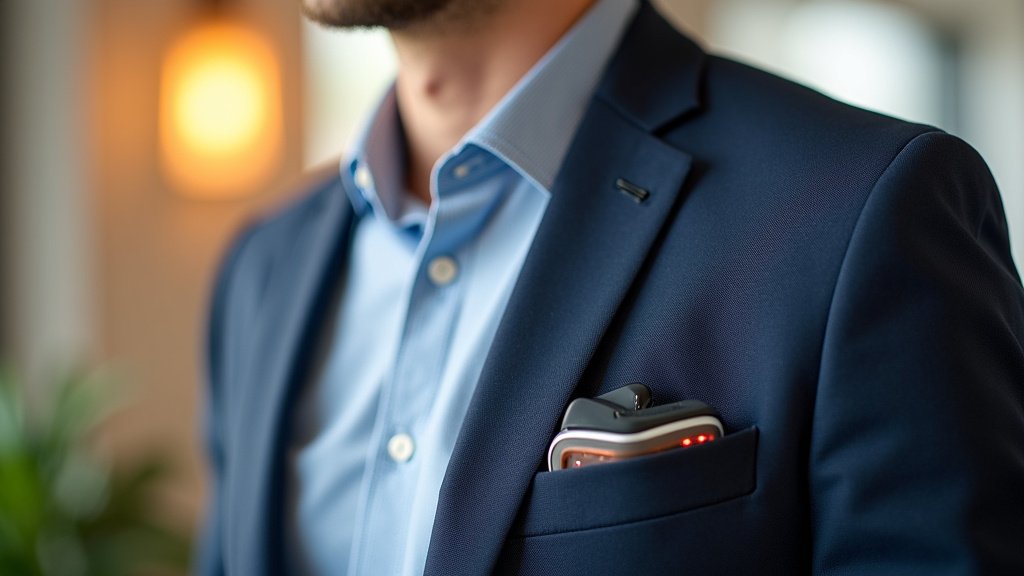
How to Wear a Pocket Talker Correctly?

To wear a Pocket Talker correctly, simply plug in your headphones and microphone, then adjust the volume dial to your desired listening level. This device helps amplify sounds, making conversations and media much clearer for you.
Many people find Pocket Talkers incredibly helpful for everyday listening situations. They are designed to be For those exploring similar options, our guide to the best personal sound amplifier for seniors offers further insights into devices that can enhance daily listening.user-friendly and portable, allowing you to hear better in various environments. Understanding the simple setup ensures you get the most benefit from your device.
- Connect headphones and microphone.
- Turn on the device.
- Adjust the volume for clarity.
- Position the microphone correctly.
Let’s walk through exactly how to set up and use your Pocket Talker step by step, ensuring you get the best sound experience possible.
Setting Up Your Pocket Talker for Clear Sound
Getting your Pocket Talker ready is straightforward. Think of it like plugging in headphones to your phone. You’ll connect the essential parts, and then you’re ready to hear better.
Connecting Headphones and Microphone
Your Pocket Talker needs two main accessories: headphones and a microphone. These are usually included in the box. Take a moment to look at your device; you’ll see two small circular ports on the top or side.
Headphone Connection
First, find the port labeled “Headphones” or with a small headphone icon. Gently push your headphone jack into this port until it clicks. You want a snug fit to ensure good sound quality. Most Pocket Talkers use a standard 3.5mm jack, which is common for many audio devices.
Microphone Connection
Next, locate the microphone port, which might be labeled “Mic” or have a microphone icon. Plug in your microphone here. Some microphones have a clip, making them easy to attach to clothing. Others might be built into the unit itself, so always check your specific model.
Powering On and Adjusting Volume
Once everything is plugged in, it’s time to bring your Pocket Talker to life. This involves turning it on and finding your perfect listening level.
Turning On the Device
Look for a power switch or a volume dial that clicks when turned. Many Pocket Talkers combine these. Turn the dial slowly until you hear a soft click or see an indicator light. This means your device is on and ready to work.
Initial Volume Settings
When you first turn it on, start with the volume dial set low. You don’t want a sudden loud noise to surprise you! Slowly turn the volume up as you begin listening. The goal is to hear sounds clearly and comfortably, not necessarily loudly. Many users find a moderate setting works best for general conversation (National Institute on Deafness and Other Communication Disorders, NIDCD).
Positioning Your Microphone for Best Results
Where you place the microphone makes a big difference in what you hear. It’s like trying to listen to someone whisper from across a room versus right next to you.
For One-on-One Conversations
If you’re talking with just one person, try to place the microphone close to their mouth. You can clip it to their shirt or place it on a table near them. The closer it is to the sound source, the clearer their voice will be. Imagine it as bringing their voice directly to your ears.
In Group Settings
For group conversations or meetings, placing the microphone in the center of the table often works well. This allows it to pick up voices from multiple directions. Experiment a little! Sometimes pointing the microphone towards the main speaker helps focus the sound. We found that users often need to adjust microphone placement depending on the room’s acoustics.
Watching TV or Listening to Music
When you want to hear the TV better, place the microphone near the TV speaker. For music, you might place it near the speaker of your radio or music player. The principle is the same: get the microphone as close to the sound source as possible.
Troubleshooting Common Sound Issues
Sometimes, things don’t sound quite right. Don’t worry; many common issues have simple fixes. It’s usually a quick check of connections or settings.
| Problem | Possible Cause | Simple Fix |
|---|---|---|
| No Sound | Device off, low battery, loose connection | Check power, replace batteries, re-plug cables |
| Static or Crackling | Loose connection, interference, faulty cable | Secure all plugs, move away from electronics, try different headphones |
| Sound Too Low | Volume too low, microphone too far, weak battery | Increase volume, move mic closer, change batteries |
| Sound Too Loud/Distorted | Volume too high, microphone too close | Turn volume down, move mic further away |
Maximizing Your Listening Experience
A Pocket Talker is a tool, and like any tool, knowing a few tricks can make it even better. Think about your environment and what you want to hear.
Understanding Your Environment
Pocket Talkers work best when there isn’t a lot of background noise. In a quiet room, you’ll hear much more clearly than in a noisy restaurant. When you’re in a busy place, try to position yourself closer to the person you want to hear. This helps the microphone pick up their voice more than the surrounding chatter.
Using Different Headphone Types
The type of headphones you use can also affect your experience. Some people prefer earbuds, others over-the-ear headphones. Over-the-ear headphones often block out more background noise, which can be very helpful. Experiment to find what feels most comfortable and gives you the clearest sound.
Daily Checks for Optimal Performance
A quick routine before you use your Pocket Talker can prevent most problems. It’s like checking your car’s mirrors before you drive – simple but important.
- Check battery life regularly.
- Ensure all cables are securely plugged in.
- Inspect microphone and headphone cords for damage.
- Wipe the microphone clean if it looks dusty.
- Test the sound briefly before important conversations.
When to Consider Professional Help
While Pocket Talkers are excellent for many situations, they are not a substitute for professional hearing care. If you find yourself constantly struggling to hear, even with your device, it might be time for another step.
If you experience persistent hearing difficulties, consulting an audiologist is always a good idea. They can perform a comprehensive hearing test and offer personalized advice (American Academy of Audiology). Sometimes, a Pocket Talker is a perfect solution. Other times, different solutions, like hearing aids, might be more appropriate for your specific needs. Understanding the distinctions between OTC and prescription hearing aids can help you make an informed decision about your hearing health.
Conclusion
Wearing your Pocket Talker correctly can significantly improve your daily listening. By taking a few moments to connect your headphones and microphone properly, adjusting the volume, and positioning the mic, you can enjoy clearer conversations and media. Remember that these devices are designed to be user-friendly, putting better hearing within your reach.
If you’re still facing challenges or if your hearing difficulties persist, we encourage you to speak with an audiologist. They can offer personalized advice and help you find the best solution for your unique hearing needs, ensuring you always experience the world clearly.
Frequently Asked Questions
Can I use any headphones with my Pocket Talker?
Yes, most Pocket Talkers use a standard 3.5mm headphone jack, so you can generally use your preferred headphones. We found that users often experiment with different types, like over-ear headphones, to find what offers the best comfort and sound isolation for them.
How often should I change the batteries in my Pocket Talker?
Battery life varies depending on the model and how often you use your device. We recommend checking your device’s manual for specific battery life estimates. A good habit is to always carry spare batteries, especially before important events, so you’re never caught off guard.
Will a Pocket Talker help me hear better in noisy environments?
Pocket Talkers can help, but they work best when the microphone is close to the sound you want to hear. In very noisy places, background sounds can still be picked up. We found that positioning the microphone strategically and using noise-isolating headphones can significantly improve your experience in these situations.
Can I connect my Pocket Talker to my TV directly?
Pocket Talkers are primarily designed to amplify sounds picked up by their external microphone. While you can place the microphone near your TV speaker, they don’t typically connect directly to a TV’s audio output port. We suggest checking your TV’s audio settings or looking for specialized TV listening devices if direct connection is your main goal.
What’s the difference between a Pocket Talker and a hearing aid?
A Pocket Talker is an amplification device that makes all sounds louder, useful for specific situations. Hearing aids, on the other hand, are prescription medical devices tailored by an audiologist to your specific hearing loss. Our research shows that while Pocket Talkers are great for general amplification, hearing aids offer a more customized and nuanced solution for consistent hearing support.
