Can You Use Hearing Aids with a Smartphone?
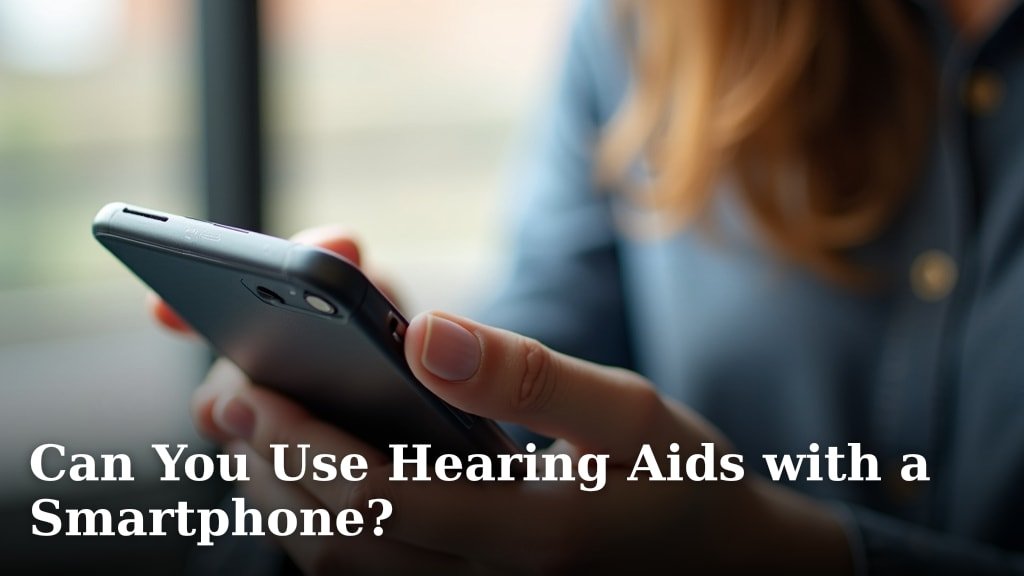
Yes, you can use hearing aids with a smartphone. Modern hearing aids offer amazing connectivity features. This technology lets you stream audio directly to your ears. It truly makes a big difference.
Many people wonder about this convenience. You can connect your hearing aids to your phone with ease. This opens up a world of possibilities for audio and calls. We found that most new models support this feature.
- Direct streaming from phone to hearing aids
- Improved call quality and music listening
- Control settings via an app
- Works with both iPhone and Android
- Enhances your daily life
Let’s dive into the specifics of how this works. We’ll show you how to get the most from your devices.
Connecting Your Hearing Aids to Your Smartphone
You can absolutely connect your hearing aids to your smartphone. This pairing process lets your devices work together. It opens up a new level of convenience and control for your hearing experience.
Modern hearing aids are designed for this. They use technology similar to other wireless devices you already own. We found that most people find the setup process quite straightforward.
How Wireless Connectivity Works
Think of your hearing aids like tiny, sophisticated earbuds. They use wireless signals to talk to your phone. This connection allows them to receive audio directly.
The most common method is Bluetooth. Bluetooth is a standard technology for short-range wireless communication. It’s what your wireless headphones use, too.
Bluetooth Classic vs. Bluetooth Low Energy (LE)
There are two main types of Bluetooth you’ll encounter. Bluetooth Classic is older and uses more power. It’s great for continuous, high-bandwidth audio streams. Think music or phone calls.
Bluetooth Low Energy (LE) is newer. It uses very little power. This is perfect for short bursts of data, like controlling your hearing aid settings. Many modern hearing aids use a combination or primarily LE Audio for better battery life.
We found that hearing aids are constantly evolving. They integrate the best of both worlds. This ensures you get clear sound without constantly charging.
Streaming Audio Directly to Your Ears
This is where the magic happens. Once connected, your phone can send audio straight to your hearing aids. Imagine taking a call without holding your phone. Or listening to a podcast while walking.
This direct streaming offers many advantages. It reduces background noise. It makes voices clearer. And it lets you hear at your own preferred volume.
Phone Calls and Conversations
Making and receiving calls becomes much easier. Your hearing aids act as miniature headsets. The sound goes directly into your ears. Many models even use the hearing aid microphones for your voice.
We found this feature particularly helpful. It means you don’t have to struggle to hear over environmental noise. Your conversation partners sound clear and close.
Music, Podcasts, and Videos
Enjoying your favorite audio content is a game-changer. Music sounds richer. Podcasts are easier to follow. Videos become more immersive because the sound is delivered right to you.
You can adjust the volume and even sound profiles through your phone. This gives you personalized control over your listening experience.
Controlling Your Hearing Aids with an App
Beyond streaming, your smartphone acts as a powerful remote control. Most major hearing aid brands have dedicated apps. You download these apps from your phone’s app store.
The app gives you precise control. You can change settings. You can adjust programs. It’s like having a tiny audiologist in your pocket (National Institute on Deafness and Other Communication Disorders).
Personalizing Your Sound Settings
Within the app, you often find options for different listening environments. Maybe you’re in a noisy restaurant. Or a quiet library. You can switch between these programs with a tap.
Some apps even let you fine-tune bass and treble. This customization helps you hear your best in any situation. You can tailor the sound to your unique preferences.
Location-Based Adjustments
Some advanced apps use your phone’s location services. They can automatically adjust your hearing aids when you enter a saved location. For example, your “home” setting activates when you arrive home.
This smart feature reduces the need for manual adjustments. It provides a more seamless experience. We found that users appreciate this automation.
Compatibility: iPhone (Made for iPhone) vs. Android
Compatibility is a common question. Both iPhone and Android smartphones work with hearing aids. However, there are some differences in how they connect.
Apple was an early adopter of hearing aid connectivity. Android has caught up significantly. You’ll likely find a good solution regardless of your phone brand.
Made for iPhone (MFi) Hearing Aids
MFi hearing aids connect directly to iPhones, iPads, and iPod Touches. This connection is designed for efficiency and ease of use. It uses Bluetooth Low Energy for streaming.
The pairing process is usually very simple. You go into your phone’s accessibility settings. You pair them like any other Bluetooth device. This integration provides a very smooth experience.
Android and ASHA Connectivity
For Android, many newer hearing aids use ASHA (Audio Streaming for Hearing Aids). This protocol allows direct streaming similar to MFi. It requires Android 10 or newer and compatible hearing aids.
If your Android phone or hearing aids don’t support ASHA, you might need an accessory. This is often called a “streamer” or “neck loop.” It acts as a bridge between your phone and hearing aids.
We found that more and more Android phones and hearing aids now support ASHA directly. This makes the connection much simpler for Android users.
What to Consider When Choosing Connected Hearing Aids
Thinking about new hearing aids? Or upgrading your current ones? Here’s a quick checklist of things to consider regarding smartphone connectivity.
- Phone Compatibility: Does it work with your specific smartphone model and operating system version?
- Streaming Quality: How clear is the audio when streaming calls or music?
- Battery Life: Does streaming drain the hearing aid battery quickly?
- App Features: What controls and customization options does the app offer?
- Ease of Pairing: Is connecting them to your phone simple or complicated?
- Additional Accessories: Will you need a separate streamer for full functionality?
Your audiologist can help you navigate these choices. They can guide you toward the best option for your individual needs and lifestyle (American Academy of Audiology).
Benefits Beyond Basic Hearing
Connecting your hearing aids to your smartphone does more than just improve your hearing. It enhances your overall quality of life. It makes daily tasks easier and more enjoyable.
Consider the independence it offers. You’re less reliant on others for communication. You can engage with the world more fully. This boosts confidence and social participation.
Improved Safety and Awareness
Think about navigation apps. You can hear turn-by-turn directions directly in your ears. This keeps your hands free and your attention on the road. It also helps you stay aware of your surroundings.
Some hearing aid apps even have features that help you locate lost hearing aids. This gives you peace of mind. It’s a small detail that can make a big difference.
Enhancing Entertainment and Leisure
From watching TV to attending virtual events, connectivity improves everything. You can stream the audio from your TV directly. No more turning up the volume for everyone else.
This allows for a more personalized and inclusive entertainment experience. We found that users often discover new ways to enjoy their hobbies with this technology.
Troubleshooting Common Connectivity Issues
Sometimes, technology can be a little finicky. If your hearing aids aren’t connecting, don’t worry. There are common steps you can take.
Most issues are minor and easily resolved. Don’t hesitate to consult your audiologist or the hearing aid manufacturer’s support. They are there to help.
Simple Fixes to Try First
Here’s a small checklist for troubleshooting:
- Restart Everything: Turn off your phone and hearing aids, then turn them back on. This often clears glitches.
- Check Bluetooth: Make sure Bluetooth is enabled on your phone and that your hearing aids are “discoverable.”
- Battery Levels: Ensure both your phone and hearing aids are sufficiently charged. Low battery can affect connectivity.
- Forget and Re-pair: In your phone’s Bluetooth settings, “forget” or “unpair” your hearing aids. Then, try pairing them again from scratch.
- Update Software: Check for updates for both your phone’s operating system and your hearing aid app.
If these steps don’t work, there might be a more specific issue. Your audiologist can run diagnostics. They can ensure everything is functioning correctly.
| Feature | Benefit with Smartphone Connection | Impact on Daily Life |
|---|---|---|
| Direct Audio Streaming | Clearer phone calls, music, and videos | Easier communication, richer entertainment |
| Remote Control App | Personalized sound settings and program changes | Optimized hearing in any environment |
| Location-Based Settings | Automatic adjustments based on your surroundings | Seamless transitions, less manual effort |
| Accessibility Features | Find My Hearing Aids, status checks | Increased peace of mind, greater independence |
Conclusion
The ability to use your hearing aids with a smartphone truly transforms your hearing experience. You gain direct streaming for calls and entertainment. You also get precise control over your sound settings. We’ve seen how this connectivity boosts your independence and enriches your daily life.
From clearer conversations to personalized listening, the benefits are clear. If you’re considering new hearing aids, prioritize smartphone compatibility. Talk to your audiologist today. They can help you find the perfect pair to connect you to your world, both online and off.
Frequently Asked Questions
Can all hearing aids connect to smartphones?
No, not all hearing aids have smartphone connectivity. This feature is common in newer, more advanced digital models. Older or basic analog hearing aids typically do not offer this capability.
Do I need a special app to connect my hearing aids to my phone?
Yes, most smart hearing aids require you to download a specific app from their manufacturer. This app serves as your remote control. It allows you to adjust settings, switch programs, and sometimes stream audio directly.
Will connecting my hearing aids to my smartphone drain their battery quickly?
Streaming audio via Bluetooth can use more battery power than standard hearing aid function. Many modern hearing aids use Bluetooth Low Energy (LE) to minimize this. However, heavy streaming will generally reduce battery life compared to minimal usage.
Can I answer phone calls directly through my hearing aids?
Yes, with compatible hearing aids and smartphones, you can often answer calls with a tap on your hearing aid. The audio streams directly to your ears, and your hearing aids’ microphones pick up your voice. This offers a hands-free calling experience.
What if my phone or hearing aids aren’t directly compatible for streaming?
If direct streaming isn’t supported, you might need an accessory called a “streamer” or “neck loop.” This small device acts as an intermediary. It receives audio from your phone and transmits it wirelessly to your hearing aids.