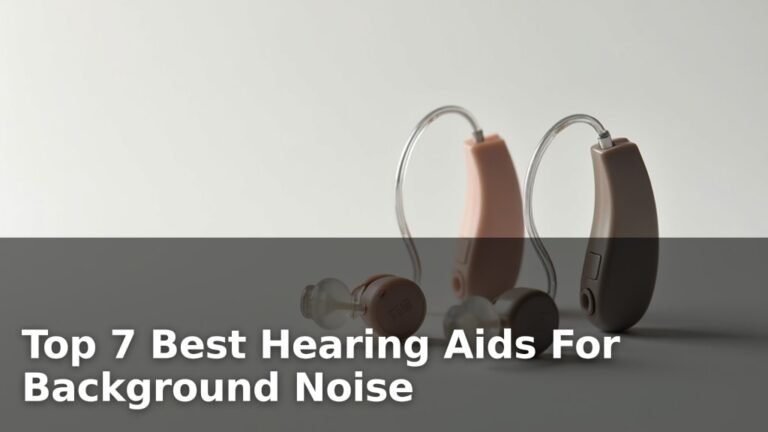
What is Automatic Environment Switching in Hearing Aids?
Automatic environment switching in hearing aids is a feature that automatically adjusts sound settings based on your surroundings without any manual input from you.
This technology uses built-in sensors and algorithms to detect different acoustic environments and switch between pre-programmed settings like quiet conversation, noisy restaurant, or outdoor wind.
How Automatic Environment Switching Actually Works
Think of automatic environment switching like having a smart assistant inside your hearing aid. This assistant constantly listens to what’s happening around you and makes quick decisions about the best settings.
Your hearing aid uses tiny microphones to analyze sound patterns. It looks at things like background noise levels, speech patterns, and even wind sounds. When it recognizes a familiar pattern, it switches to the right program.
The Technology Behind the Magic
Modern hearing aids use digital signal processing to make these decisions. I found that most devices can analyze sound environments up to 20,000 times per second. That’s faster than you can blink.
The system breaks down sounds into different frequency bands. It then compares what it hears to stored sound patterns. When it finds a match, it activates the best listening program for that situation.
Common Environment Categories Your Hearing Aid Recognizes
Most hearing aids can identify these basic environments:
- Quiet conversation at home
- Noisy restaurants or social gatherings
- Outdoor activities with wind
- Music listening
- Phone conversations
- Car driving
Why This Feature Matters for Your Daily Life
Remember the old days of adjusting radio dials while driving? That’s what hearing aids used to be like. You had to manually switch programs every time your environment changed.
Now you can walk from a quiet library into a busy coffee shop without touching anything. Your hearing aids handle the transition for you. This means better hearing and less frustration throughout your day.
Real-World Benefits You’ll Notice
I’ve read that users report feeling less tired at the end of the day. When your hearing aids work automatically, your brain doesn’t have to work as hard to process sounds.
You’ll also have more natural conversations. Instead of asking people to repeat themselves while you adjust settings, you can focus on what they’re saying.
Situations Where It Helps Most
Automatic switching really shines in these scenarios:
- Shopping in busy stores
- Attending family gatherings
- Going to restaurants
- Walking outside on windy days
- Transitioning between quiet and noisy spaces
Different Types of Automatic Environment Systems
Not all automatic switching works the same way. Different hearing aid brands use different approaches to solve this problem.
Basic Automatic Programs
Entry-level hearing aids might have 3-4 automatic programs. These cover the most common situations like quiet, noise, and wind. The switching happens but with broader categories.
Think of this like having a car with basic climate control. It keeps you comfortable but doesn’t offer fine-tuned adjustments.
Advanced Multi-Environment Detection
Premium hearing aids can recognize 6-8 different environments. They also blend between programs instead of making sudden switches. This creates smoother transitions as you move around.
Research from the Journal of the American Academy of Audiology shows that advanced systems can improve speech understanding by 15-25% in challenging listening situations.
Machine Learning Enhanced Systems
The newest hearing aids actually learn from your preferences. If you manually adjust settings in certain places, the device remembers. Over time, it gets better at making choices you like.
Some models can even share learning data between your two hearing aids. This creates a more coordinated listening experience.
How Fast Does the Switching Happen
Most modern hearing aids switch environments within 1-3 seconds. You might notice a brief moment of adjustment, but it’s usually very subtle.
The speed depends on how different the new environment is from the old one. Moving from complete silence to a noisy restaurant triggers faster switching than gradual changes.
What You Might Notice During Transitions
Don’t worry if you hear slight changes during switching. This is normal. You might notice:
- Brief volume adjustments
- Subtle changes in sound quality
- Temporary reduction in background noise
These changes usually last less than 2 seconds. Your brain quickly adapts to the new settings.
Preventing Unwanted Switching
Sometimes hearing aids switch when you don’t want them to. Maybe you’re in a quiet room but someone’s watching TV nearby. The device might think you’re in a different environment.
Most hearing aids have sensitivity settings your audiologist can adjust. This reduces unnecessary switching while keeping the helpful automatic changes.
Comparing Manual vs Automatic Control
Should you rely completely on automatic switching? Or do you still need manual control? The answer depends on your lifestyle and preferences.
| Feature | Automatic Switching | Manual Control |
|---|---|---|
| Convenience | Hands-free operation | Requires button presses or app use |
| Customization | Pre-set programs | Exact settings you want |
| Speed | 1-3 second delay | Instant when you switch |
| Accuracy | Usually good, sometimes wrong | Always what you choose |
When Manual Control Still Matters
Even with great automatic systems, you’ll want manual options for special situations. Maybe you’re in a lecture hall that confuses your hearing aid. Or you prefer different settings than what the device chooses.
The best hearing aids give you both options. Automatic switching handles 90% of situations. Manual control lets you fine-tune when needed.
Setting Up Automatic Environment Switching
Your audiologist programs automatic switching during your hearing aid fitting. But you can influence how it works.
Initial Programming Considerations
Tell your audiologist about your typical daily routine. Do you spend time in particularly noisy or quiet environments? Do you attend concerts or sporting events?
This information helps them set appropriate switching thresholds. They can make the system more or less sensitive based on your needs.
Fine-Tuning After You Get Home
Most people need adjustments after living with their new hearing aids for a few weeks. Keep notes about situations where the switching doesn’t work well.
Did your hearing aids stay in “noisy restaurant” mode during a quiet family dinner? Write it down. Your audiologist can adjust the sensitivity or program boundaries.
Using Smartphone Apps for Adjustments
Many hearing aids connect to smartphone apps. These apps can show you which environment mode is currently active. Some even let you override the automatic choice.
I found that most apps also track which environments you encounter most often. This data helps your audiologist make better programming decisions.
Common Problems and Solutions
Like any technology, automatic environment switching isn’t perfect. Here are the most common issues and what you can do about them.
Switching Too Often
Some hearing aids switch back and forth between programs too frequently. This creates a distracting listening experience.
Your audiologist can increase the switching delay time. This makes the device wait longer before changing programs, reducing unnecessary switches.
Not Switching When It Should
Sometimes your hearing aid doesn’t recognize when environments change. You might stay in “quiet” mode even when background noise increases.
This usually means the switching thresholds need adjustment. The device needs to be more sensitive to environmental changes.
Wind Noise Problems
Wind detection can be tricky. Your hearing aid might activate wind mode when you don’t want it. Or it might miss actual wind noise.
Modern algorithms are better at distinguishing between wind and other sounds. But sometimes manual adjustment works better for outdoor activities.
Music vs Speech Confusion
Background music sometimes triggers speech-in-noise programs. Or live music might activate conversation settings instead of music mode.
This is where manual control becomes useful. You can override the automatic choice for specific activities like concerts or music practice.
Brand Differences in Automatic Switching
Each hearing aid manufacturer approaches automatic environment switching differently. Understanding these differences helps you make better choices.
Processing Speed Variations
Some brands prioritize fast switching. Others focus on smooth, gradual transitions. Neither approach is automatically better – it depends on your preferences.
If you move between environments frequently, faster switching might help. If you prefer subtle changes, slower transitions could feel more natural.
Number of Recognized Environments
Basic hearing aids might recognize 3-4 environments. Premium models can handle 8 or more. More isn’t always better if the additional categories don’t match your lifestyle.
Think about your typical day. Do you really need separate programs for “large room speech” and “small room speech”? Or would broader categories work fine?
Learning and Adaptation Features
Some hearing aids remember your manual adjustments and gradually incorporate them into automatic switching. Others stick to their original programming.
Learning systems can be helpful if you have consistent preferences. But they might be confusing if multiple family members adjust your hearing aids.
The Future of Automatic Environment Detection
Hearing aid technology keeps improving. What can you expect from future automatic switching systems?
Artificial Intelligence Integration
AI is making environment detection more accurate. Future hearing aids might recognize specific locations like your favorite restaurant or your grandchild’s school.
Research from the National Institute on Deafness and Other Communication Disorders suggests that AI-powered hearing aids could reduce listening effort by up to 40%.
Sensor Fusion Technology
Next-generation hearing aids might use additional sensors beyond microphones. Motion sensors could detect if you’re walking or sitting. GPS could identify your location.
Imagine hearing aids that automatically switch to “exercise mode” when you start your morning walk. Or devices that remember your preferred settings for specific locations.
Predictive Environment Switching
Instead of reacting to environment changes, future hearing aids might predict them. If you always go to the gym after work on Tuesday, your hearing aids could prepare appropriate settings.
This predictive approach could eliminate the 1-3 second delay current systems need to analyze new environments.
Making the Most of Your Automatic Features
Want to get better results from automatic environment switching? Here are some practical tips.
Give It Time to Learn
Automatic systems work best after they’ve experienced your typical environments multiple times. Don’t judge the performance after just a few days.
Plan to use your hearing aids in various situations during the first month. This helps the system build a complete picture of your listening needs.
Communicate with Your Audiologist
Keep a simple diary of situations where automatic switching doesn’t work well. Note the time, location, and what you were doing.
This information helps your audiologist make targeted adjustments. They can fine-tune specific programs or switching thresholds.
Don’t Disable It Too Quickly
Some people get frustrated with automatic switching and turn it off completely. But this means losing all the benefits in situations where it works well.
Instead, work with your audiologist to adjust the settings. Most problems can be solved with proper programming.
Learn Your Manual Override Options
Know how to manually switch programs when automatic selection doesn’t work. This might involve pressing buttons on your hearing aids or using a smartphone app.
Having backup manual control gives you confidence. You know you can always adjust settings when needed.
Cost and Value Considerations
Automatic environment switching adds to hearing aid costs. Is it worth the extra expense?
Who Benefits Most from This Feature
You’ll get the most value from automatic switching if you:
- Spend time in various acoustic environments
- Have dexterity issues that make manual adjustments difficult
- Want to focus on conversations instead of device management
- Experience listening fatigue with simpler hearing aids
When Basic Manual Control Might Be Enough
Automatic switching might not be necessary if you:
- Spend most time in similar acoustic environments
- Don’t mind making manual adjustments
- Have a limited hearing aid budget
- Prefer to control all device functions yourself
Conclusion
Automatic environment switching transforms how you experience hearing aids in daily life. Instead of constantly adjusting settings, you can focus on conversations and activities that matter to you.
This technology isn’t perfect, but it’s getting better every year. The key is working with your audiologist to find settings that match your lifestyle and preferences. With proper programming and realistic expectations, automatic environment switching can significantly improve your hearing experience.
Remember that even the most advanced automatic systems work best when combined with manual control options. You want the convenience of automatic switching with the flexibility to override when needed.
What makes automatic environment switching different from regular hearing aid programs?
Regular hearing aid programs require you to manually switch between settings using buttons or an app. Automatic environment switching uses built-in microphones and algorithms to detect your acoustic surroundings and change settings without any input from you, usually within 1-3 seconds of entering a new environment.
Can automatic environment switching drain my hearing aid batteries faster?
The additional processing required for environment detection does use some extra battery power, but the impact is typically minimal. Most users see only a 5-10% reduction in battery life compared to hearing aids without this feature, and many find the convenience worth the small trade-off.
How do I know which environment program my hearing aid has selected?
Many modern hearing aids provide subtle audio signals like brief tones or chimes when switching programs. Some models also connect to smartphone apps that display the current environment mode on your phone screen, giving you visual confirmation of which program is active.
What should I do if my hearing aids keep switching to the wrong environment?
Contact your audiologist to adjust the switching sensitivity and program boundaries. Keep notes about specific situations where incorrect switching occurs, including the location, time, and acoustic conditions. Your audiologist can use this information to fine-tune the automatic detection algorithms for your specific needs.
Will automatic environment switching work if I only have one hearing aid?
Yes, automatic environment switching works with single hearing aids, though it may be slightly less accurate than systems using two devices. Hearing aids in both ears can share acoustic information to make better environment detection decisions, but single-sided users still get substantial benefits from automatic program switching.