
Why Is My Hearing Aid Volume Inconsistent?
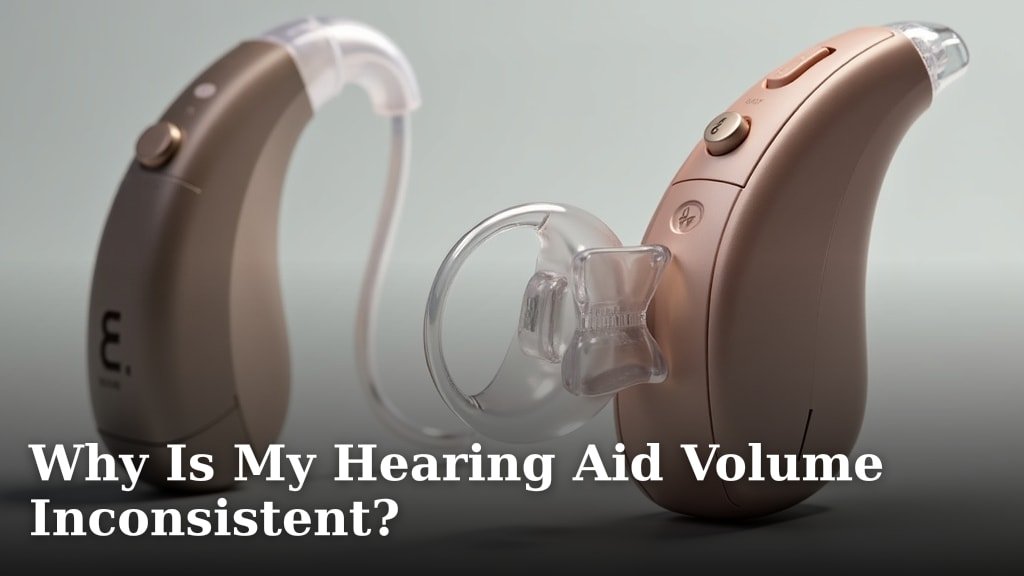
Your hearing aid volume is inconsistent because of several common issues. We found that wax buildup in the ear canal or on the hearing aid, a low battery, or even device malfunctions are often the main culprits. It’s a frustrating problem, but usually fixable.
You might notice the sound cutting in and out, or perhaps it’s too loud one moment and too soft the next. This erratic behavior can be caused by simple things like blockages or fit issues, or more complex internal problems with the hearing aid components themselves. Don’t worry, you’re not alone with this experience.
- Wax buildup on the device or in your ear.
- A dying or faulty battery.
- Loose tubes or domes on the hearing aid.
- Moisture or debris inside the device.
- Internal electronic issues.
Let’s explore why your hearing aid volume might be acting up and what you can do to get it working consistently again. We’ll guide you through the most common reasons and helpful solutions.
Understanding Inconsistent Hearing Aid Volume
You’re experiencing frustrating ups and downs with your hearing aid’s sound levels. We understand this can be quite disruptive to your daily life. Let’s break down the common reasons why this might be happening, starting with the simplest and most frequent issues.
The Usual Suspects: Blockages and Fit
Often, the problem isn’t with the hearing aid’s internal electronics. Instead, it’s something external, like a blockage or a poor fit. Think of it like a garden hose; if it’s kinked or has debris inside, the water flow becomes inconsistent, right? Your hearing aid is similar.
Earwax Buildup: The Silent Saboteur
Earwax is a natural part of your body’s defense system, but too much of a good thing can cause problems for your hearing aid. We found that excessive earwax in your ear canal can partially block sound from reaching your eardrum. It can also build up on the hearing aid itself.
When earwax covers the microphone or receiver, it muffles the sound. Sometimes the wax might shift, leading to moments of clearer sound followed by muffled periods. This creates that annoying inconsistent volume.
- Inspect your ears regularly for excessive wax.
- Check your hearing aid’s microphone and receiver for visible wax.
- Clean your hearing aid daily with the tools provided by your audiologist. To ensure thorough daily cleaning, learn how to use a hearing aid cleaning brush properly.
Domes, Tubing, and Earmolds: Are They in Place?
Many hearing aids use small plastic domes or custom earmolds to direct sound into your ear. If these components aren’t seated correctly, or if they’re damaged, you’ll notice volume fluctuations. A loose dome or tubing can create an air leak, making sound fainter, or it might move around, causing sound to cut in and out.
Over time, these parts can wear out or become brittle. We recommend checking them often. Is the dome cracked? Is the tubing kinked or hardened? Even a small gap can change the sound experience dramatically.
Power Problems: The Battery Conundrum
Your hearing aid is a small computer, and like any electronic device, it needs a stable power source. A battery that’s running low or is faulty is a very common reason for inconsistent volume. Think of your phone when it’s almost out of power; apps might slow down, or the screen brightness might dim. Your hearing aid behaves similarly.
Low Battery: A Common Culprit
As a hearing aid battery nears the end of its life, its voltage drops. This can lead to the device not performing optimally. You might hear crackling, distortion, or the volume might fluctuate erratically. It’s a clear sign that the battery is dying.
Many hearing aids give you a warning beep when the battery is low. But sometimes, especially with older batteries, the performance degrades before the warning. We always suggest replacing batteries at the first sign of trouble.
Faulty or Old Batteries
It’s not just about how much power is left. Sometimes, a battery itself can be faulty from the start or simply too old. Even if it’s new, it might not provide consistent power. Always store your spare batteries in a cool, dry place. Heat and humidity can shorten their lifespan, even before you use them.
If you’ve recently changed the battery and still experience inconsistent volume, try a fresh one from a different pack. This helps rule out a batch of bad batteries.
Environmental Factors and Device Integrity
Beyond blockages and power, the environment your hearing aid operates in, and its overall physical condition, play a big role. These devices are robust but not invincible. Small things can affect their delicate internal components.
Moisture and Debris: Tiny Intruders
Hearing aids are sensitive to moisture. Sweat, humidity, rain, or even just condensation can get inside the device and interfere with its circuits. We’ve found that moisture can cause short circuits or temporary disruptions, leading to volume changes or sound cutting out.
Dust, lint, and other small debris can also sneak into openings. These tiny particles can block microphones, receivers, or even clog ventilation holes. Regular cleaning and proper storage in a dry environment can help prevent these issues.
Here’s a quick checklist for avoiding moisture and debris problems:
- Remove hearing aids before showering, swimming, or using hairspray.
- Use a hearing aid dehumidifier or drying kit regularly.
- Store your hearing aids in their case when not in use.
- Clean them with a soft, dry cloth daily.
- Avoid extreme temperature changes that can cause condensation.
Physical Damage and Loose Connections
Accidental drops or impacts can damage the internal components of your hearing aid. Even if you don’t see visible external damage, an internal connection might have come loose. This can result in intermittent sound or fluctuating volume.
Sometimes, the wires connecting different parts of the hearing aid can become frayed or partially disconnected over time. This is especially true for behind-the-ear (BTE) models with external tubing and wiring. A simple wiggle might temporarily restore sound, but the underlying issue remains.
Internal Malfunctions: When to Seek Professional Help
After checking all the external factors, if your hearing aid volume is still inconsistent, the problem might be more complex. Internal electronic issues require the expertise of a hearing care professional.
Faulty Microphones or Receivers
The microphone picks up sound, and the receiver delivers it to your ear. If either of these components is failing, you’ll experience inconsistent volume. A partially faulty microphone might pick up some sounds but not others, or it might cut out intermittently. Similarly, a receiver struggling to convert electrical signals into sound waves will produce erratic results.
Many experts say that these components, like any electronic part, have a lifespan and can degrade over time (National Institute on Deafness and Other Communication Disorders).
Software Glitches and Settings Drift
Modern hearing aids are sophisticated devices with onboard computers and software. Sometimes, a software glitch can cause the device to behave erratically. This might manifest as sudden volume changes or inconsistent processing of sounds.
Your hearing aid settings can also sometimes “drift” or become corrupted, leading to performance issues. A simple reset or reprogramming by your audiologist can often resolve these software-related problems.
Table: Common Inconsistent Volume Issues and Solutions
| Problem Category | Specific Issue | Common Symptoms | Recommended Action |
|---|---|---|---|
| External Blockages | Earwax (in ear or on device) | Muffled, cut-out, or fluctuating sound | Inspect, clean device. See doctor for earwax removal. |
| Physical Fit/Damage | Loose/damaged dome/tubing | Weak sound, feedback, sound cutting out | Check fit, replace damaged parts. |
| Power Supply | Low/faulty battery | Weak, distorted sound, intermittent function | Replace battery, try a fresh pack. |
| Environmental | Moisture/debris | Crackling, intermittent sound, device stops working | Clean, use drying kit, proper storage. |
| Internal Issues | Failing components/software | Persistent issues, no improvement with basic fixes | Consult audiologist for diagnosis and repair. |

Conclusion
Dealing with inconsistent hearing aid volume can be truly frustrating. We’ve seen that issues range from simple fixes like clearing earwax or changing batteries to more complex internal problems. The good news is that many of these issues are easily resolved once you identify the cause.
By regularly cleaning your device, checking battery life, and ensuring a proper fit, you can prevent many common volume fluctuations. If basic troubleshooting doesn’t work, don’t hesitate to contact your audiologist. They can diagnose internal issues and get your hearing aids performing consistently again, helping you enjoy clear sound in your daily life.
Frequently Asked Questions
Why does my hearing aid sound fuzzy or distorted sometimes?
Fuzzy or distorted sound often indicates a low or dying battery. It can also point to moisture inside the device or a blockage in the microphone or receiver. Try replacing the battery first, then check for visible debris.
Can a dirty hearing aid really affect volume so much?
Absolutely. Even a small amount of earwax or debris can block sound passages, causing sound to be muffled or cut out. Regular daily cleaning of your hearing aid is essential for consistent volume and clear sound.
How often should I change my hearing aid batteries to avoid volume issues?
Battery life varies by type and usage, but most disposable hearing aid batteries last between 3-14 days. If you notice any inconsistencies in volume or sound quality, it’s always best to replace the battery proactively.
My hearing aid volume changes when I move my head. What’s wrong?
This often suggests a loose-fitting dome or earmold, or possibly a damaged tube. When you move, the loose part shifts, changing the sound path. Check the fit of your components and replace them if they appear worn or damaged.
Is it normal for hearing aid volume to decrease over time?
While some subtle changes can occur, a noticeable decrease in volume or consistency is not normal. It could signal internal component wear, a need for reprogramming, or even changes in your own hearing. A check-up with your audiologist is recommended.