Why Is My Hearing Aid Not Working?
Your hearing aid is not working because it likely has a dead battery, a clogged wax filter, or a physical blockage in the tubing. These are the most common reasons we found for sudden hearing aid issues.
You rely on your hearing aid every day, so a sudden malfunction can be quite frustrating. Is it the battery, the earwax, or something else entirely? We understand your concern when your hearing aid stops working properly, leaving you feeling disconnected.
- Check your battery first – it’s the most common culprit.
- Clean your hearing aid thoroughly, especially the wax filter.
- Look for any visible damage or blockages in the tubing.
- Reset your device and check connection settings if applicable.
- Contact a professional if basic troubleshooting doesn’t help.
Let’s walk through common issues and solutions. We’ll help you troubleshoot why your hearing aid isn’t working and get you back to hearing clearly.
Troubleshooting Your Hearing Aid Malfunction
When your hearing aid stops working, it can feel like a sudden silence. We understand this can be a real inconvenience. Most often, the problem is something simple you can fix yourself. Let’s break down the most common reasons your hearing aid might be acting up.
Battery Issues: The Top Culprit
A dead or dying battery is the most frequent reason for a hearing aid to malfunction. Think of it like your car needing gas – without power, it just won’t go. We found that battery problems account for a large percentage of all hearing aid repair calls.
Dead or Low Battery
Is your hearing aid completely silent? Or is the sound very faint? It’s likely the battery. Even if you just changed it, a new battery could be faulty. Always keep a fresh pack handy.
- Check the battery compartment: Is it clean and dry? Are there any visible signs of corrosion?
- Replace the battery: Use a fresh battery from a new pack. Does it work now?
- Check the expiration date: Batteries do expire. An old battery might not hold a charge.
- Rechargeable models: Ensure your device was fully charged. Is the charging case working?
Many experts suggest you change disposable batteries weekly, or as soon as you notice sound distortion (National Institute on Deafness and Other Communication Disorders).
Incorrect Battery Insertion
Sometimes it’s not the battery itself, but how it’s placed. Hearing aid batteries are small and can be tricky. Look closely at the “plus” (+) and “minus” (-) signs.
Most batteries have a flat side and a raised side. Make sure the raised side matches the positive contact in the compartment. A quick double-check can save you a lot of frustration.
Blockages: When Something Gets in the Way
Your hearing aid works by picking up sound and sending it into your ear. Anything blocking this path will reduce or stop the sound. Think of it like a hose with a kink or a nozzle full of dirt.
Earwax Buildup
This is probably the second most common problem. Your ears produce wax naturally. This wax can get into the hearing aid’s sound port or microphone, blocking the sound. We’ve seen countless cases where a simple cleaning fixed the issue.
- Inspect for wax: Look at the tiny opening where sound comes out, often called the receiver. Do you see any earwax?
- Clean the wax filter/guard: Most hearing aids have a small, replaceable filter to catch wax. If this filter is clogged, sound won’t get through.
- Use proper cleaning tools: Your audiologist likely provided a brush or a wax pick. Use these gently. Never use sharp objects.
Regular cleaning is key. A quick daily wipe-down can prevent major blockages. The American Academy of Audiology recommends daily cleaning routines.
Debris in the Microphone or Receiver
Dust, lint, hair, or even tiny pieces of skin can get into the small openings of your hearing aid. These can block the microphone (where sound goes in) or the receiver (where sound comes out).
Gently brush away any visible debris. Sometimes a small amount of moisture can attract and hold these particles. Keep your hearing aids dry to avoid this.
Tubing or Earmold Issues
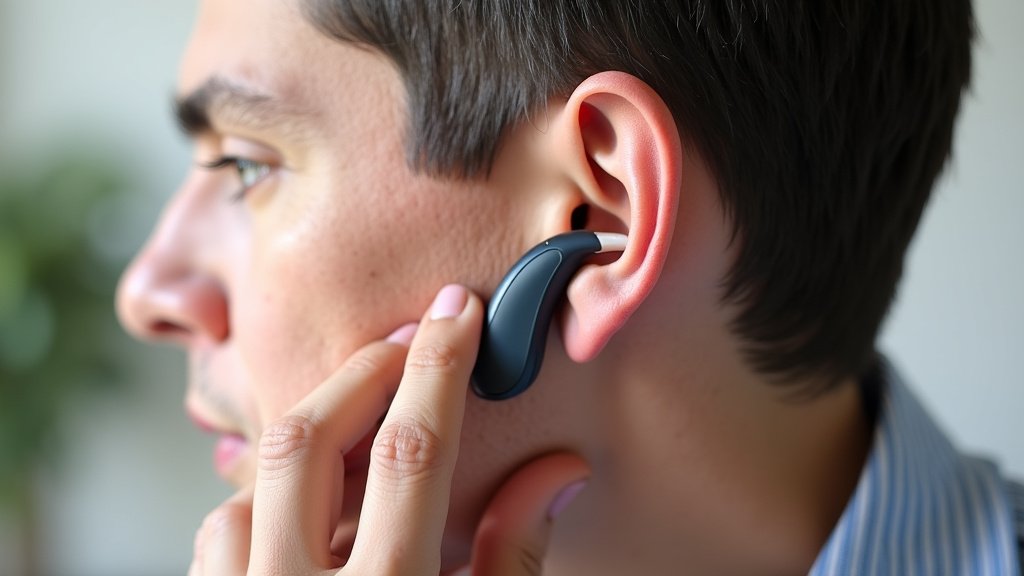
If you have a behind-the-ear (BTE) hearing aid, it uses a thin tube to send sound to your ear. This tube connects to an earmold that sits inside your ear canal. These parts can have their own problems.
- Kinked or collapsed tubing: Is the tube bent or squeezed shut? This can stop sound. Gently straighten it.
- Cracked or broken tubing: Over time, tubes can become brittle. A cracked tube will leak sound.
- Wax in the earmold: The earmold can also get clogged with earwax. Clean it thoroughly.
- Loose connection: Is the tube securely attached to both the hearing aid and the earmold?
Many users find that replacing the tubing every few months helps maintain sound quality. Your audiologist can show you how to do this or do it for you.
Physical Damage or Moisture Exposure
Hearing aids are small, delicate electronic devices. They are designed for daily wear, but they aren’t indestructible. Accidents happen, and moisture is a common enemy of electronics.
Accidental Drops or Impacts
Did you drop your hearing aid recently? Even a small fall can loosen internal components or damage the casing. If it stopped working after an impact, this is a strong possibility.
Inspect for visible damage: Look for cracks, dents, or loose parts. Sometimes, internal damage isn’t visible externally. Handle your hearing aids with care, just like you would a delicate piece of jewelry.
Moisture Damage
Water, sweat, and humidity are major causes of hearing aid failure. Did you wear them in the shower? Did you get caught in the rain? Did you exercise heavily?
If you suspect moisture, turn off the hearing aid immediately. Open the battery door and place it in a drying kit overnight. Never use a hairdryer or microwave, as this can cause more damage.
Settings and Connections
Sometimes, the issue isn’t hardware but software or connectivity. Modern hearing aids have many features, and sometimes a simple setting change can fix a perceived problem.
Incorrect Program Setting
Have you accidentally switched to a different program? Your hearing aid might have settings for quiet environments, noisy restaurants, or even streaming audio. If you’re on the wrong setting, it might seem like it’s not working.
Cycle through the programs: Most hearing aids have a button to change settings. Try pressing it a few times. Does the sound improve? Your audiologist can remind you about your specific programs.
Volume Too Low or Muted
It sounds simple, but sometimes the volume has just been turned down all the way. Or perhaps the hearing aid has accidentally been muted. This is especially true for models with manual volume controls.
Check the volume control: Turn it up gradually. If you use a remote or an app, ensure the volume is set appropriately there as well.
Connectivity Issues (for Wireless Models)
If you have Bluetooth-enabled hearing aids that connect to your phone or other devices, the problem might be with the connection, not the hearing aid itself. This is a common point of confusion.
Try these steps:
- Restart your phone: A simple reboot can often fix Bluetooth glitches.
- “Forget” and re-pair: In your phone’s Bluetooth settings, remove your hearing aids and then pair them again as if they were new.
- Check the hearing aid app: Is the app updated? Is it showing your hearing aids are connected?
When to Seek Professional Help
You’ve tried all the basic troubleshooting. You’ve checked the battery, cleaned thoroughly, inspected for damage, and adjusted settings. What next? That’s when it’s time to call your hearing care professional.
Here’s a quick checklist to help you decide:
| Issue | DIY Fix? | When to Call Professional |
|---|---|---|
| No Sound / Faint Sound | Battery, wax filter, volume | After replacing battery, cleaning filter, and checking volume. |
| Distorted / Fuzzy Sound | Wax, moisture, tubing | After thorough cleaning, drying, and checking tubing. |
| Intermittent Sound | Loose battery, slight damage | If problem persists after checking battery and minor adjustments. |
| Feedback / Whistling | Improper fit, wax buildup | If cleaning doesn’t help or if it’s a new occurrence. |
| No Power (even with new battery) | Faulty battery, severe damage | Immediately, as it may indicate internal damage. |
If you still can’t hear, don’t get discouraged. Your audiologist has specialized tools and knowledge to diagnose and fix more complex problems. They can also perform in-depth cleaning or send your device for repair if needed.
Many clinics offer walk-in appointments for quick fixes. Don’t hesitate to reach out to them. They want you to hear your best!
Conclusion
Dealing with a non-working hearing aid can be frustrating, but many issues have simple fixes. We’ve seen that most problems stem from dead batteries, earwax blockages, or minor physical issues. You can often resolve these yourself with a quick check and clean. Taking a few moments to troubleshoot can save you a trip to the clinic.
Remember, consistent care and knowing these common solutions are key. If you’ve tried everything here and your hearing aid is still silent, don’t hesitate. Reach out to your audiologist or hearing care professional for expert assistance.
Frequently Asked Questions
How often should I clean my hearing aid to prevent issues?
You should aim for a quick, gentle cleaning every day. A thorough cleaning of the wax filter and sound port should be done weekly. Regular cleaning significantly reduces the chance of blockages.
Can temperature extremes affect my hearing aid’s performance?
Yes, extreme heat or cold can impact battery life and the delicate electronics inside your hearing aid. Avoid leaving them in direct sunlight or very cold environments, like a car on a winter day.
My hearing aid whistles constantly. Is that a sign it’s broken?
Frequent whistling, or feedback, often means your hearing aid isn’t sitting quite right in your ear. It