How to Fix Static in Vivtone Hearing Aids
If Vivtone hearing aids have static, check the battery, fit, microphone openings, and nearby electronics one at a time. If the noise continues after those checks, consult your model’s instructions or contact Vivtone support.
On this page (7 sections)
- What should you check first when Vivtone hearing aids have static?
- Can a battery cause static in Vivtone hearing aids?
- Could a poor fit or blocked opening create noise?
- Could nearby electronics be causing the static?
- What can you use to compare the sound?
- When should you stop troubleshooting and ask for help?
- What should you do if Vivtone hearing aids still have static?
If Vivtone hearing aids have static, check the battery, fit, microphone openings, and nearby electronics one at a time. If the noise remains after these basic checks, follow the instructions for your model or contact Vivtone support.
Start by noting when the static happens. Does it occur in both devices, only one, or only near a phone, computer, or other electronic device?
That pattern can help narrow down the cause.
What should you check first when Vivtone hearing aids have static?
Check the fit, battery, and accessible openings before changing settings. Make one change at a time, then listen in a quiet place to see whether the sound changes.
- Make sure each device is seated as the manual describes.
- If your model uses replaceable batteries, check that the battery is fresh, the correct size, and seated in the right direction.
- Inspect accessible microphone and sound openings for visible wax, lint, or debris.
- Move away from nearby electronics and compare the sound.
- Restart or reset the device only as the manual instructs.
If the static began after a drop, exposure to moisture, or a change in settings, note that too. Avoid opening the hearing aid or pushing anything into its openings.
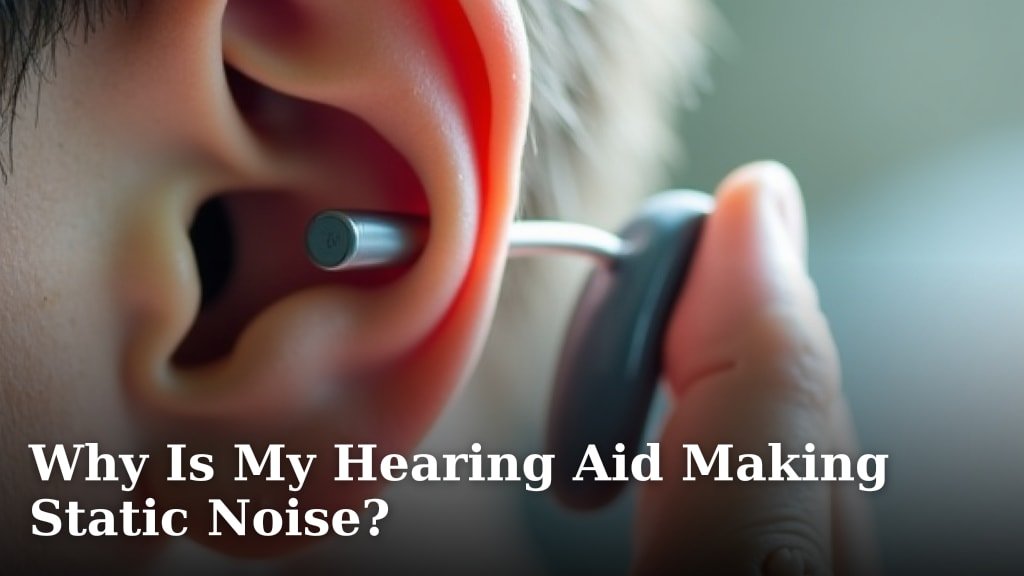
For general causes and checks, see why a hearing aid may be making static noise. The broader guide to fixing static and crackling in hearing aids can help you compare other common troubleshooting steps.
Can a battery cause static in Vivtone hearing aids?
A weak, misplaced, or incompatible battery may affect sound, so check the battery if your model uses replaceable cells. Follow the device manual for the battery size, polarity, and replacement steps.
After replacing it, close the battery door fully and listen again. Don’t assume a battery is the cause if the static stays the same; fit, debris, moisture, or interference may also be involved.
For a model that takes size 312 cells, Duracell’s EASYTAB batteries are single-use and come in a pack of 60. Check whether hearing aid batteries expire before buying or storing spares.
Check your model’s instructions before buying. The battery size must match exactly; a size 312 cell won’t suit a hearing aid designed for a different size or rechargeable power.
Duracell Activair EASYTAB batteries are also size 312 and come in a pack of 80.
If your Vivtone hearing aids are rechargeable, use the charging routine in the manual instead. For a Phonak device, see Phonak hearing aid charging help.
Don’t insert a battery or open a rechargeable device unless its instructions call for it.
Could a poor fit or blocked opening create noise?
A loose fit or blocked opening can change what you hear, so reseat the device and inspect only the areas the manual says you can clean. The right fit and cleaning steps depend on the model.
Wash and dry your hands before handling the hearing aids. Use the brush or cloth recommended for your device, and keep liquids, pins, and other sharp objects away from it.
Stop if wax or debris appears to be stuck inside, or if cleaning would require taking the device apart. For routine upkeep, see when to change hearing aid wax guards.
A hearing care professional or Vivtone support can advise you on safe cleaning for that model.
Could nearby electronics be causing the static?
If the noise changes near a phone, computer, or other electronic device, move away and test again. Keep electronics a short distance away during the comparison, and note whether the static stops when you change location.
Try this in a quiet room, with the hearing aids in the same position. If the noise continues in different places, interference may not be the cause.
For more possible sources and ways to narrow them down, read how to fix hearing aid interference problems. For model-specific comparisons, see how to fix static noise in Phonak hearing aids.
What can you use to compare the sound?
Use a familiar sound source in a quiet room to check whether the static changes after each step. Keep the volume comfortable and follow the hearing aid’s instructions.
A computer headset can provide an alternative way to listen to calls or computer audio without routing sound through the hearing aids. The Logitech H390 is a wired USB-A headset with in-line volume and mute controls, plus a rotating microphone boom.
This headset doesn’t diagnose a hearing aid problem or replace its manual. Don’t increase the volume to cover static, and stop listening if the sound feels uncomfortable.
When should you stop troubleshooting and ask for help?
Contact Vivtone support if static persists after the safe checks or comes with weak, missing, or uneven sound. Ask for help sooner if the device was dropped, exposed to moisture, or appears damaged.
Have the model name ready and describe when the static occurs, whether it affects one or both devices, and what changed before it started. Don’t keep cleaning or resetting the hearing aids if the manual doesn’t recommend it.
If the device still works but sounds unfamiliar, why new hearing aids can sound mechanical explains another sound change that may need a different response. For home troubleshooting limits, read whether you can fix a hearing aid at home.
What should you do if Vivtone hearing aids still have static?
If Vivtone hearing aids have static after you check the fit, battery, openings, and nearby electronics, stop changing things and contact Vivtone support. Choose battery steps only for models with replaceable cells, and use only the cleaning and reset steps in your model’s manual.
If the static changes with location, investigate nearby electronics. If it stays constant or comes with reduced sound, share those details with support and ask what to do next.
Frequently asked questions
Why do my Vivtone hearing aids have static?
Static can come from a weak or poorly seated battery, moisture or debris near an opening, a loose fit, or interference from nearby electronics. Check one cause at a time and compare the sound in a quiet room.
If it persists or the device behaves differently, follow the manual or contact Vivtone support.
Can a low battery cause static in a hearing aid?
A weak battery can cause sound problems, though static has several possible causes. If your model uses replaceable batteries, confirm the size, polarity, and fit, then try a fresh compatible battery.
For rechargeable models, follow the manual's charging and restart steps instead of opening the device.
How do I clean Vivtone hearing aids safely?
Use only the cleaning method and tools recommended for your Vivtone model. Remove visible debris gently from accessible openings, and keep liquids, sharp objects, and heat away from the device.
If wax or moisture seems stuck inside, stop and ask the manufacturer or a hearing care professional for guidance.
When should I contact Vivtone support about static?
Contact Vivtone support if static continues after basic checks, starts after a drop or moisture exposure, affects only one device repeatedly, or comes with weak or missing sound. Share the model name, when the noise began, and which safe steps you tried so support can guide the next check.