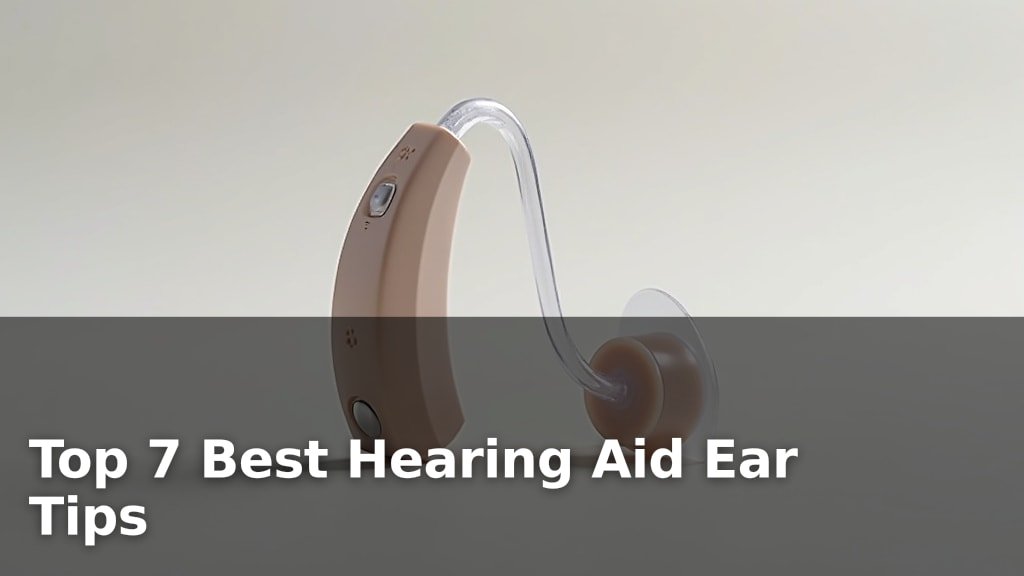
How to Change a Hearing Aid Battery?
On this page (5 sections)
The easiest way to change a hearing aid battery is to follow a few simple steps, focusing on care and proper sizing. We found that most modern hearing aids use easily replaceable zinc-air batteries, making the process straightforward even for first-timers. You just need to remove the old battery and insert a new one, ensuring it’s the correct type for your device.
You might be wondering, “Is it really that easy?” It truly is! Replacing hearing aid batteries is a common task for users, and manufacturers design them for user-friendliness. We found that keeping a few spare batteries on hand can prevent unexpected interruptions to your hearing, letting you stay connected and engaged throughout your day. Knowing how to change a hearing aid battery yourself gives you independence.
- Check your hearing aid’s battery size.
- Open the battery door and remove the old battery.
- Peel the sticker off the new battery.
- Insert the new battery correctly.
- Close the battery door firmly.
Let’s walk through exactly how this works, step by step, so you can confidently change your hearing aid battery whenever needed. We’ll cover everything you need to know.
Getting Started with Hearing Aid Battery Replacement
You’re ready to take charge of your hearing, literally! Changing a hearing aid battery is a skill every user benefits from. We found that the process is designed to be very user-friendly. Most new users can master it quickly.
Before you even touch your hearing aid, there are a few things to consider. Thinking these through helps make the process smooth. It reduces any worry you might have.
Understanding Your Hearing Aid’s Battery Type
Not all hearing aid batteries are the same. We found that most modern hearing aids use zinc-air batteries. These batteries are air-activated, meaning they need oxygen to work. This design helps them deliver stable power for longer periods.
Identifying the correct battery size is the first crucial step. Using the wrong size can damage your device. It might also lead to poor performance.
Decoding Battery Sizes by Color Code
You might notice little colored tabs on your battery packaging. These colors aren’t just for decoration; they represent specific battery sizes. This universal color-coding system makes it easy to find the right fit, no matter the brand (NIH).
- Yellow (10): Smallest size, often used in tiny completely-in-canal (CIC) or invisible-in-canal (IIC) hearing aids.
- Orange (13): A common size for many behind-the-ear (BTE) and in-the-canal (ITC) models.
- Brown (312): Frequently seen in mini BTEs, RICs (receiver-in-canal), and some ITC devices.
- Blue (675): The largest size, typically for power BTE hearing aids that need more energy.
Always check your hearing aid’s manual or the battery compartment itself. It will usually specify the correct number. Don’t worry if you forget; most audiologists label the device or provide a handy card.
Gather Your Tools and Set the Stage
Changing a battery is a simple task, but a little preparation goes a long way. Think of it like cooking: having all your ingredients ready makes the meal easier to prepare. We found that being prepared prevents frustration.
What do you need for this quick task? Just a few items. You likely already have them close by. You won’t need anything fancy.
- New batteries: Make sure they are the correct size and still in their sealed packaging.
- A clean, flat surface: A table or countertop works perfectly.
- Soft cloth or tissue: For wiping your hearing aid if needed.
- A magnifier (optional): If you have trouble seeing small details.
Choose a well-lit area. This helps you see the small parts clearly. You want to avoid dropping tiny batteries. A clean, uncluttered space is your friend here. Many users keep a small “hearing aid kit” for this purpose.
Step-by-Step Guide to Replacing Your Hearing Aid Battery
Alright, you’ve got everything ready. Let’s walk through the actual battery change. You’ll find it’s a quick and simple process. Most people can do it in under a minute.
We found that following these steps in order helps prevent common mistakes. Soon, you’ll be doing this without even thinking about it.
Opening the Battery Compartment and Removing the Old Battery
First things first, you need to access the old battery. This varies slightly by hearing aid type. However, the general idea is the same.
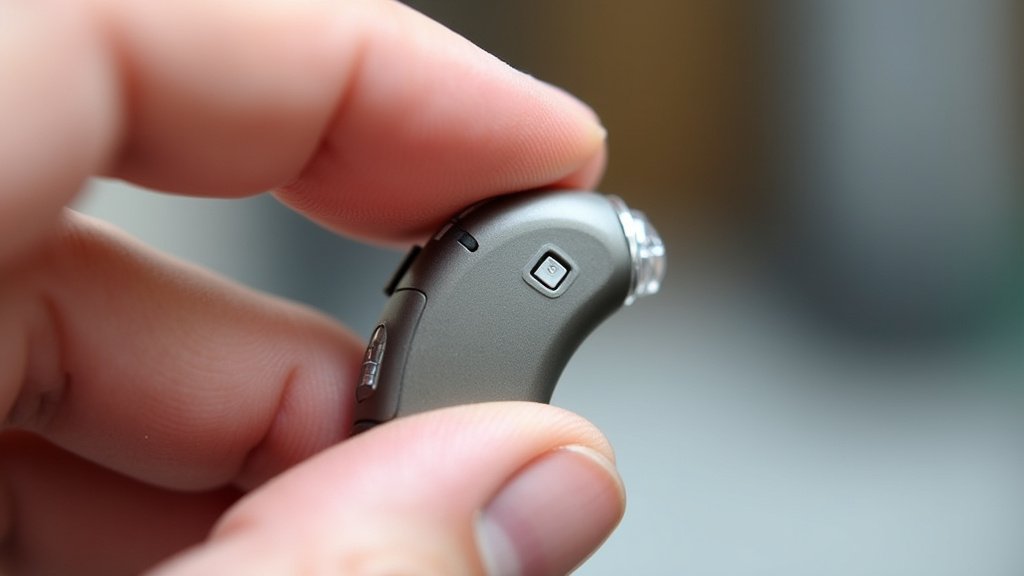
Most hearing aids have a small battery door. Gently open this door. You might need to use a fingernail or a small battery-changing tool (often provided by your audiologist). Don’t force it open; it should open easily.
Once open, the old battery should be visible. Carefully tip your hearing aid over the palm of your hand. The old battery should fall out. If not, a gentle shake usually works. Avoid using metal objects to pry it out, as this can scratch or damage the device.
Dispose of old batteries responsibly. Most pharmacies or battery retailers have recycling programs (EPA). Don’t just toss them in the regular trash.
Prepping and Inserting Your New Battery
Now for the fresh power! This step is where the zinc-air technology comes into play. It’s a key part of getting good performance.
New zinc-air batteries come with a small sticker or tab on one side. This tab seals air out. Peel this sticker off completely. We found that once you peel it, the battery activates. Air rushes in, starting the chemical reaction.
Wait about one minute after removing the sticker. This allows the battery to fully activate. Many experts say this “breathing time” helps extend battery life and ensures proper function from the start (American Academy of Audiology).
Next, orient the new battery correctly. Hearing aid battery compartments usually have a “+” symbol. This marks the positive side of the battery. The positive side is typically the flat side of the battery. It faces upwards when inserted.
Gently slide the new battery into the compartment. It should fit snugly. Don’t force it in. If it feels tight, recheck the orientation or battery size.
Here’s a quick checklist for inserting the new battery:
- Peel off the protective sticker.
- Wait 60 seconds for air activation.
- Locate the “+” symbol in the battery door.
- Align the battery’s positive side with the “+” symbol.
- Gently place the battery into the compartment.
Closing the Battery Door and Testing
You’re almost done! The final step is to close the battery door carefully. This secures the battery and powers on your hearing aid.
Gently close the battery door until it clicks into place. Do not slam it shut. If it doesn’t close easily, check the battery seating again. It might be slightly off. Forcing it can damage the door mechanism, leading to costly repairs.
Once closed, your hearing aid should power on. Most hearing aids play a little melody or beep to indicate they are working. You can also cup your hand over the hearing aid. If it’s working, you’ll hear a soft, high-pitched feedback or whistling sound.
If it doesn’t turn on, reopen the door. Make sure the battery is inserted correctly and fully activated. Sometimes, a battery can be a dud, though this is rare. Keep a spare or two handy just in case.
Troubleshooting Common Battery Issues
Even with good practice, you might encounter a hiccup or two. Don’t worry, these are usually easy to fix. We found that most battery-related problems have simple solutions.
Knowing what to look for can save you a trip to the audiologist. You are more capable than you think!
What if Your Hearing Aid Doesn’t Turn On?
You’ve followed all the steps, but silence still reigns. What then? Take a breath. This is often an easy fix.
First, double-check the battery insertion. Is it facing the right way? Is the battery door fully closed? A tiny gap can stop the connection. We’ve all done it, so don’t feel bad.
Next, try a different new battery. Sometimes, a fresh battery can be faulty right out of the package. It’s rare, but it happens. If the second battery works, you know the first one was the issue.
Also, check for any moisture in the battery compartment. Even a little dampness can interfere with the contacts. Use a dry, soft cloth to gently wipe it out. Allow it to air dry fully.
If none of these work, your issue might not be the battery. It could be something else with the hearing aid. In that case, it’s time to contact your audiologist or hearing care professional. They have the tools to diagnose deeper problems.
Maximizing Your Battery Life
You want your batteries to last as long as possible, right? Who wouldn’t! We found a few simple habits can extend the life of your hearing aid batteries.
Open the battery door at night. This does two things: it turns off your hearing aid, saving power. It also allows moisture to evaporate from the compartment. Moisture is a battery’s enemy.
Store your hearing aids in a dry, cool place. Extreme temperatures can shorten battery life. Avoid leaving them in direct sunlight or a damp bathroom. A small dehumidifier box specifically for hearing aids works wonders (Mayo Clinic).
Keep your batteries in their original packaging until you’re ready to use them. The sealed packaging protects them from air and preserves their charge. Don’t buy batteries too far in advance, as they have a shelf life.
We’ve put together a small table to help you remember the common battery types and their typical lifespan. Keep in mind that individual usage varies.
| Battery Size | Color Code | Average Lifespan (Days) |
|---|---|---|
| 10 | Yellow | 3-7 |
| 312 | Brown | 3-10 |
| 13 | Orange | 6-14 |
| 675 | Blue | 9-20 |
Remember, this table shows average lifespans. Your actual experience may vary based on your hearing aid’s power demands, how often you use it, and environmental factors like humidity. Streaming audio or using wireless accessories can drain batteries faster.
Conclusion
You now have all the knowledge needed to confidently change your hearing aid battery. We covered everything from identifying the correct size using color codes to troubleshooting common issues. Taking this small amount of time to understand the process truly gives you independence and ensures your hearing aids are always ready when you need them. Keep a few spare batteries on hand, remember the “breathing time” for activation, and you’ll maintain consistent, clear hearing. With practice, this simple task will become second nature, allowing you to stay connected to your world without interruption.
Frequently Asked Questions
How often should I expect to change my hearing aid batteries?
The frequency depends on your battery size, hearing aid model, and usage. Generally, smaller batteries (size 10) may last 3-7 days, while larger ones (size 675) can last 9-20 days. Streaming audio or using wireless features can also reduce battery life.
Can I extend the life of my hearing aid batteries?
Yes, you can! Opening the battery door at night turns off your hearing aid and allows moisture to escape, prolonging battery life. Store your batteries in their original packaging in a cool, dry place until ready to use.
What if I accidentally insert the battery the wrong way?
Most hearing aids won’t power on if the battery is inserted incorrectly. Simply remove the battery, check for the “+” symbol in the compartment, and reinsert it with the flat, positive side facing that symbol. Do not force the battery door closed if it resists.
Is it okay to use rechargeable batteries instead of disposable ones?
Some modern hearing aids are designed for rechargeable batteries. If your hearing aids are not specifically made for rechargeable batteries, you should only use the disposable zinc-air batteries recommended by the manufacturer. Check your device’s manual to be sure.
Where is the best place to buy replacement hearing aid batteries?
You can purchase hearing aid batteries from your audiologist, pharmacies, many retail stores, and online. We found that buying in bulk might offer better value, but always ensure they are fresh and kept in their sealed packaging until needed.