How to Fix a Hearing Aid That Stopped Working?
On this page (7 sections)
If your hearing aid suddenly stopped working, don’t panic! You can often fix a hearing aid that stopped working by checking the batteries, ensuring it’s clean, and verifying the volume control. These simple steps resolve most common hearing aid issues.
Hearing aids are sophisticated devices, and sometimes minor problems can cause them to go silent. We found that a dead battery is the most frequent culprit, but a clogged earmold or a simple setting adjustment can also be the cause. Understanding these common issues helps you get back to hearing clearly.
- Check and replace batteries first.
- Make sure the hearing aid is clean.
- Verify that the volume isn’t turned down.
- Check for earwax blockage.
- Ensure it’s properly connected.
Ready to troubleshoot your hearing aid? Let’s walk through the most effective ways to get it working again, step by step.
Troubleshooting Your Silent Hearing Aid
When your hearing aid suddenly goes quiet, it can feel like the world has muted. You might be wondering what happened and how to get it working again. Fortunately, many common hearing aid issues are quick fixes you can handle yourself at home. If yours crackles, see our guide to fixing hearing aid static. We found that the most frequent culprits are usually quite simple.
The Mighty Battery: Your Hearing Aid’s Power Source
Let’s start with the most common reason your hearing aid might not be working: the battery. It’s the most basic, yet often overlooked, step in troubleshooting.
Checking and Replacing Batteries
Hearing aid batteries can die surprisingly fast. Even if you think there’s life left, it’s always best to start with a fresh one. Think of it like trying to start a car without a battery; nothing happens!
Identifying the Correct Battery Size
Hearing aid batteries come in different sizes, usually indicated by a color code. The most common sizes are:
- Size 10 (Yellow)
- Size 13 (Orange)
- Size 312 (Brown)
- Size 675 (Blue)
Your hearing aid manual will tell you which size it uses. If you don’t have the manual, look for a sticker on the battery compartment door, or check the old battery itself. The color is usually printed on the small tab that sticks to the battery.
Properly Inserting the New Battery
When you get a new battery, you’ll notice a small colored tab attached to it. This tab protects the battery until it’s ready for use. The flat side is the positive (+) side, and the side with the tab is the negative (-). Always insert the battery with the flat side facing up. This is usually where the positive (+) terminal is located inside the compartment. If you’re struggling, remember that the tab usually pulls off the side that goes down into the battery door.
Allowing the Battery to Activate
A neat little trick with hearing aid batteries is that they need a moment to “activate” once exposed to air. After you remove the colored tab, wait about 30 seconds to a minute before inserting it. This allows the battery to reach its full voltage. We found this simple step often makes a big difference!
Signs of a Dead Battery
Besides your hearing aid just going silent, there are other signs. You might notice a faint beep or tone that signals a low battery. Sometimes, the hearing aid might work intermittently, cutting in and out. If you’ve had the same battery in for more than a week or two (depending on usage and battery size), it’s likely time for a change.
Keeping It Clean: Essential Maintenance for Your Hearing Aid
Just like any electronic device, your hearing aid needs regular cleaning. Dirt, earwax, and moisture can all interfere with its performance. Think of it like a tiny speaker; if the opening is blocked, the sound can’t get out.
The Earmold and Tubing
This is where earwax loves to build up. If you wear custom earmolds or have an older style with a clear tubing, this is a prime suspect.
Cleaning Your Earmold and Tubing
You can usually detach the earmold or tubing from the hearing aid itself. Use a soft, dry cloth or a small brush designed for hearing aids. You can also use a special cleaning solution recommended by your audiologist or hearing aid manufacturer. Make sure to dry everything thoroughly before reattaching. We found that a pipe cleaner can also be handy for gently clearing out the tubing.
Checking for Blockages
Hold the earmold or tubing up to the light. Can you see any wax lodged inside? If so, gently try to remove it with a soft tool or by following the cleaning instructions specific to your device. A clogged earmold is like trying to talk through a closed fist – muffled and weak!
The Hearing Aid Itself
The main body of the hearing aid also needs attention. You don’t want dust or debris getting into the microphone ports.
Wiping Down the Exterior
Use a soft, dry cloth to gently wipe down the hearing aid. Pay special attention to the microphone openings. Some hearing aids come with a small cleaning tool that has a brush on one end and a wax loop on the other. Always ensure the hearing aid is turned off or the battery is removed before cleaning.
Using a Hearing Aid Dryer/Dehumidifier
Moisture is a hearing aid’s enemy. Sweat, humidity, and even ear moisture can cause problems. Using a dedicated hearing aid dryer overnight can help remove this moisture. These are small, airtight boxes that often contain a desiccant to absorb moisture. This is a great practice for hearing aid longevity and performance (CDC).
Volume Control and Settings: Are You Turned Up?
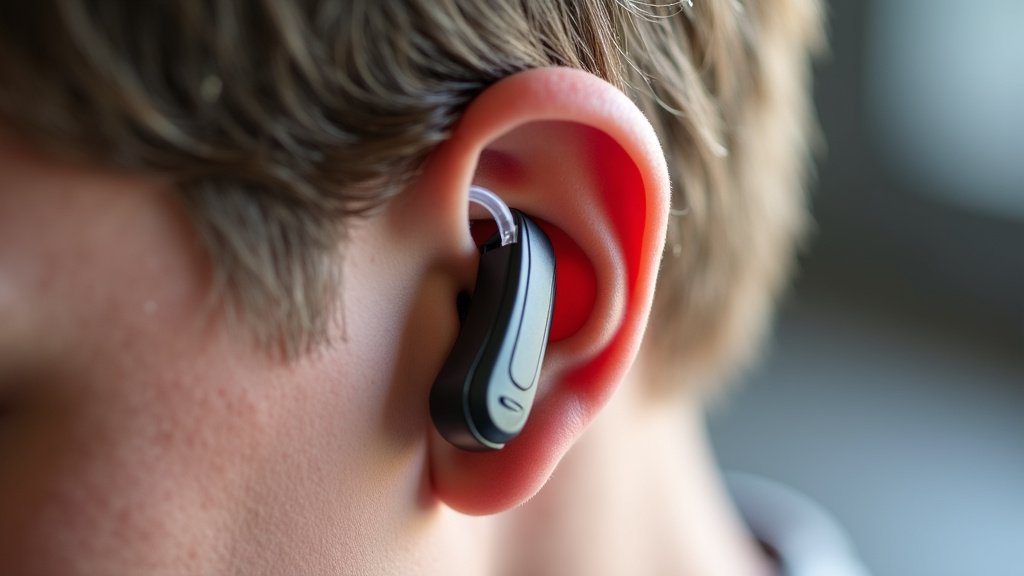
It sounds simple, but sometimes the volume on your hearing aid might have been accidentally turned down. Kids, pets, or even just brushing against your ear can bump the volume control.
Locating the Volume Control
The volume control can take various forms: a tiny wheel, a small rocker switch, or even buttons on the hearing aid. Some modern hearing aids are controlled via a smartphone app, so check that first if you use one.
Adjusting the Volume
If you have a manual control, try gently turning it up. If it’s a button, try pressing it to cycle through programs or increase volume. If you use a smartphone app, open it and check the volume settings there. Many experts say to start with a moderate increase and test.
Beyond the Basics: Other Potential Issues
If you’ve gone through the batteries, cleaning, and volume checks without success, there are a few other things to consider.
Earwax in the Ear Canal
Sometimes, the hearing aid is working perfectly, but your own ear canal is blocked with earwax. This will prevent sound from reaching your eardrum properly. If you suspect this, clean your ears using safe methods, or consult a doctor. A buildup of earwax is a surprisingly common cause of hearing difficulties (NIH).
Connectivity and Programming
For wireless or Bluetooth-enabled hearing aids, ensure they are properly paired with your phone or other devices. Sometimes, a simple re-pairing process can resolve connectivity issues. If your hearing aid has different listening programs, make sure it’s not accidentally set to a program with a lower volume or muted setting.
Moisture Damage
Did your hearing aid get wet? Maybe you were caught in the rain or dropped it in water. For immediate steps, see our guide to hearing aids exposed to water. If so, immediately turn it off (remove the battery) and dry the exterior thoroughly with a soft cloth. Place it in a hearing aid dryer or a sealed container with desiccant packs overnight. Avoid using heat, like a hairdryer, as this can cause damage.
A Quick Troubleshooting Checklist
Let’s recap the main steps you can take right now:
- Fresh Batteries: Swap in a brand new, correctly sized battery.
- Cleanliness Check: Ensure microphone ports and earmolds are clear of wax.
- Volume Up: Verify the volume control isn’t turned all the way down.
- Dry It Out: Use a hearing aid dryer if moisture is suspected.
- Check Ear Canal: Rule out earwax buildup in your own ear.
- Re-pair (if applicable): For wireless aids, try re-pairing with your device.
If after trying all these steps your hearing aid still isn’t working, it’s time to contact your audiologist or hearing healthcare professional. There might be a more technical issue that requires their expertise.
Conclusion
You’ve now learned how to tackle a silent hearing aid head-on! We found that simple checks like fresh batteries, a thorough cleaning, and verifying volume settings resolve most issues. Don’t let a temporarily quiet hearing aid disrupt your connection to the world. If these steps don’t bring back the sound, your next action should be to reach out to your hearing care professional. They have the tools and expertise to diagnose and fix more complex problems, ensuring you get back to clear hearing quickly.
Frequently Asked Questions
My hearing aid suddenly stopped working after I got it wet. What should I do?
First, remove the battery immediately to prevent further damage. Gently dry the exterior with a soft cloth. Then, place your hearing aid in a hearing aid dryer or a sealed container with desiccant packs overnight. Avoid using heat, like a hairdryer.
How often should I be replacing my hearing aid batteries?
This depends on the battery size and your hearing aid’s power consumption, but generally, you’ll need to replace them every 3 to 14 days. If you notice a beep or intermittent sound, it’s likely time for a fresh battery.
Can earwax really cause my hearing aid to stop working completely?
Yes, a significant earwax buildup in your ear canal can block sound from exiting your hearing aid. It can also clog the earmold or tubing, muffling or stopping the sound entirely. Regularly cleaning your earmolds and checking your ear canal for wax is important.
My hearing aid is still not working after trying new batteries and cleaning. What else could it be?
It’s possible there’s a programming issue or a problem with the internal components. For wireless hearing aids, connectivity might also be the culprit. If you’ve exhausted the basic troubleshooting steps, it’s best to contact your audiologist or hearing aid provider.
Are there specific tools I need to clean my hearing aid properly?
For basic cleaning, a soft, dry cloth and a small brush are usually sufficient. Many manufacturers include a cleaning kit with their devices, which might contain wax loops or brushes. A hearing aid dryer or dehumidifier is also highly recommended for removing moisture.