Why Is My Hearing Aid So Quiet?
On this page (3 sections)
Your hearing aid sounding quiet can be frustrating, but it usually happens because of low battery power, a blocked earwax guard, or an improper fit. These are common issues that can often be fixed quickly. Don’t worry, we’ll help you figure out why your hearing aid isn’t as loud as it should be.
When your hearing aids lose their usual volume, it can feel isolating. We found that many users experience this from time to time. Often, the solution is simpler than you might think. Addressing these everyday issues can help restore your hearing aid’s optimal performance and bring back the clarity you rely on.
- Low battery is the most common culprit.
- Blocked earwax can muffle sound.
- A poor fit affects sound delivery.
- Dirty components need cleaning.
- Settings might need adjustment.
Let’s walk through the most common reasons your hearing aid might be quiet and what you can do about each one.
“`htmlTroubleshooting Your Quiet Hearing Aid
It can be disheartening when your hearing aid doesn’t sound as loud as it used to. You rely on it for clear conversations and enjoying daily life. Often, the fix is quite simple.
1. Is Your Battery Low or Dead?
This is the most common reason for reduced hearing aid volume. Even the best hearing aids need power to function. A low battery will make your aid sound weak and muffled. It’s like trying to power a bright light bulb with a dying battery – it just won’t shine as brightly.
Checking Battery Status
Most modern hearing aids have a low battery indicator. This could be a beep, a tone, or a notification on your smartphone app. Some hearing aids will simply start to sound quieter as the battery drains. If you’re using disposable batteries, pay attention to the recommended replacement schedule.
Replacing Disposable Batteries
When you notice the volume dropping, try replacing the battery. Make sure you’re using the correct size for your hearing aid model. You can usually find this information in your user manual or by asking your audiologist. Always handle batteries with clean, dry fingers to avoid residue. When you notice the volume dropping, try replacing the battery; our guide covers the best options.
Recharging Rechargeable Hearing Aids
For rechargeable hearing aids, ensure they are properly seated in their charging case. Check that the charger is plugged in and receiving power. Sometimes, the charging contacts on the hearing aid or the case can get dirty. A gentle cleaning might be needed (we’ll cover cleaning later).
We found that a dead battery is almost always the first suspect. It’s a quick and easy fix that resolves the issue for many users.
2. Is Earwax Blocking the Sound?
Earwax is a natural part of our bodies, but it can become a nuisance for hearing aid users. It can accumulate and clog the tiny openings where sound exits your hearing aid, or even block the receiver itself. This muffles the sound, making your aid seem quiet.
The Earwax Guard Dilemma
Many hearing aids have small, replaceable filters or guards designed to keep earwax and debris out of the sensitive components. These are often called “wax guards” or “filters.” Over time, these can become completely blocked.
Identifying a Blockage
If you notice a sudden drop in volume, especially after a period of heavy wax production, a clogged wax guard is a likely culprit. You might be able to see the blockage if you look closely at the tip of your hearing aid. It might look discolored or grimy.
Cleaning and Replacing Wax Guards
Your audiologist will show you how to change these. It’s usually a simple process involving a small tool to remove the old guard and insert a new one. Many experts recommend checking and replacing these guards every few weeks, or whenever you notice a Many experts recommend checking and replacing these guards every few weeks, or whenever you notice a decrease in sound quality; here’s how.decrease in sound quality. Follow the manufacturer’s instructions carefully.
Don’t try to poke anything sharp into the hearing aid to clear wax; this can cause damage. Gentle, regular maintenance is key.
3. Is Your Hearing Aid Fitting Correctly?
The physical fit of your hearing aid is crucial for sound delivery. If your hearing aid isn’t sitting properly in or on your ear, the sound might not be reaching your ear canal effectively. This can make it sound much quieter than it should.
Custom Earpieces (Ear Molds)
If you wear custom earpieces, they should create a good seal in your ear canal. If the seal is broken or the mold has become loose, sound can “leak” out, reducing the perceived volume. Sometimes, earpieces can shrink slightly over time or your ear canal shape might change.
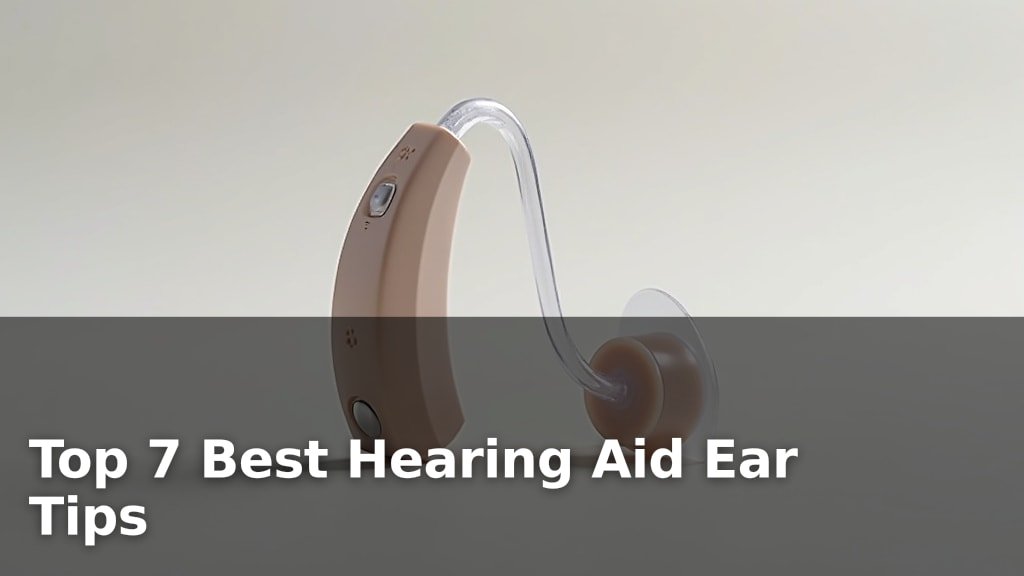
Dome Tips for Receiver-in-Canal (RIC) Aids
For RIC hearing aids, the small dome tip that sits in your ear canal needs to fit snugly. If it’s too loose, sound will escape. If it’s too tight, it might feel uncomfortable, but a loose fit is more likely to cause volume issues. Ensure the dome is securely attached to the receiver wire.
Troubleshooting Fit Issues
If you suspect a fit problem, try gently reseating the hearing aid or earpiece. If it’s a custom mold, check for any visible cracks or damage. A poor fit can also lead to whistling or feedback, but sometimes it just results in a quieter experience. Your audiologist can make adjustments or take new impressions if needed.
4. Are Other Components Dirty or Blocked?
Beyond the earwax guard, other parts of your hearing aid can get dirty and affect performance. Regular cleaning is essential for maintaining optimal sound quality.
The Receiver/Speaker
The part that actually produces the sound is the receiver, often located in the earpiece or on the end of the wire. If this gets clogged with wax or debris, it will sound quiet. You might need a special cleaning tool or a soft brush to gently clean the openings.
The Microphone Ports
Your hearing aid has small microphone ports that pick up sound. If these are blocked by dirt, lint, or even skin oils, the aid won’t be able to capture sound effectively. This can lead to a muffled or quiet output. Use a dry, soft brush (often provided with your hearing aid) to gently clear these tiny holes.
The Battery Compartment
While less common, residue or corrosion in the battery compartment can interfere with battery contact and power flow. If you use disposable batteries, ensure the compartment door closes properly and that there’s no debris preventing a good connection.
Think of it like a car’s air filter; if it’s clogged, the engine doesn’t run as well. Your hearing aid is no different!
5. Are Your Hearing Aid Settings Correct?
Sometimes, the issue isn’t a physical problem but a settings adjustment. Hearing aids can have multiple programs or volume levels.
Accidental Program Changes
You might have accidentally switched to a program that is designed for quieter environments or has a lower volume setting. If you have a physical button on your hearing aid, it’s easy to press it unintentionally. Many modern aids are controlled via a smartphone app, where accidental changes can also happen.
Volume Control Sliders or Buttons
Check the volume control on your hearing aid or in your app. It’s possible the volume was turned down without you realizing it. We found that many users inadvertently lower the volume and forget to turn it back up.
Consulting Your Audiologist
If you’re unsure about your hearing aid’s settings, your audiologist is the best resource. They can help you understand each program and how to adjust volume levels. They can also check if any software updates or personalized adjustments might be needed.
Quick Troubleshooting Checklist
- Check and replace the battery if it’s low or dead.
- Inspect and clean or replace the earwax guard.
- Ensure the hearing aid fits snugly and creates a good seal.
- Gently clean microphone ports and receiver openings.
- Verify that the volume is turned up and you’re not on a quiet program.
- If problems persist, contact your audiologist for professional help.
Remember, these issues are common, and most can be resolved with simple steps. Don’t hesitate to reach out to your hearing care professional if you’re ever unsure.
“`
Conclusion
It can be upsetting when your hearing aid sounds quiet, but as we’ve seen, the causes are often simple. Usually, it’s a quick fix like a low battery, a clogged wax guard, or a loose fit. By performing regular maintenance and knowing what to check, you can keep your hearing aid performing at its best. Don’t let a quiet hearing aid disrupt your day. If you’ve tried these simple steps and still have issues, it’s always best to contact your audiologist for expert help and personalized adjustments.
Frequently Asked Questions
How often should I clean my hearing aid’s wax guard?
We recommend checking your wax guard regularly, perhaps every few weeks. If you notice a change in sound quality or see visible blockage, it’s time to replace it. Always follow the specific instructions from your hearing aid manufacturer or audiologist.
Can I use a cotton swab to clean my hearing aid?
It’s best to avoid cotton swabs for most hearing aid parts. Cotton fibers can break off and create new blockages. Use a soft, dry brush for microphone ports and a specialized tool for wax guards as recommended by your audiologist.
My hearing aid still sounds quiet after replacing the battery. What else could it be?
If a new battery doesn’t help, the next most likely culprits are a blocked earwax guard or an improper fit. You might also need to clean the receiver or microphone ports. A quick check of all these components usually solves the problem.
What if my rechargeable hearing aid isn’t getting loud enough?
Ensure the charging contacts on both the hearing aid and the charger are clean and free of debris. Also, verify that the charging case is plugged in and powered. Sometimes, a full charge cycle needs to be completed for optimal performance.
Is it normal for my hearing aid volume to decrease over time?
A gradual decrease in volume is not typical for a well-maintained hearing aid. If you notice a consistent drop, it usually indicates an underlying issue like accumulating earwax, battery depletion, or the need for a cleaning or adjustment. Regular check-ups with your audiologist can prevent this.