Why Is My Rechargeable Hearing Aid Not Charging?
On this page (8 sections)
If your rechargeable hearing aid isn’t charging, it’s often due to a If your rechargeable hearing aid isn’t charging, it’s often due to a simple cleaning need or a loose connection; learn how to charge rechargeable hearing aids properly.simple cleaning need or a loose connection. Most often, the problem isn’t with the hearing aid itself, but with the charging contacts on either the aid or the charger. Making sure these are clean and properly aligned can solve the issue quickly.
It can be frustrating when your hearing aids aren’t ready when you need them. We understand how important it is to have your hearing aids working reliably. Many users find that a quick check of the charging components is the first and most effective step to get them powered up again. We’ve gathered the most common reasons and solutions.
- Check charging contacts for dirt or debris.
- Ensure the hearing aid is correctly seated in the charger.
- Verify the charger is properly plugged in and has power.
- Test with a different outlet or charging cable if possible.
- Confirm your hearing aid model is compatible with the charger.
Let’s walk through some easy steps to get your rechargeable hearing aids back to full battery life.
Troubleshooting Your Rechargeable Hearing Aid’s Charging Issues
It’s incredibly frustrating when your rechargeable hearing aids suddenly stop charging, since charging trouble can stop an aid from working. You rely on them for clear hearing and important conversations. Often, the fix is simpler than you think. We’ve found that most charging problems stem from a few common culprits. Let’s work through them together to get your hearing aids powered up and ready to go.
Checking the Fundamentals: Power and Connections
Before we dive into deeper troubleshooting, let’s make sure the basics are covered. Sometimes, the issue isn’t with the hearing aid at all.
Is the Charger Receiving Power?
This might seem obvious, but it’s the most frequent oversight. Is the charger plugged securely into a working electrical outlet? Try plugging in another small appliance, like a lamp or phone charger, into the same outlet to confirm it’s active. If the outlet itself is the problem, try a different one. It’s also wise to check if the charger’s power cord is firmly seated in the charger unit itself.
The Charging Cable and Wall Adapter
If your charger uses a separate USB cable and wall adapter, these can be weak links. Is the USB cable damaged? Look for any fraying or kinks in the wire. Similarly, the wall adapter could be faulty. If you have a spare charging cable and adapter that are compatible, try using them. This simple swap can often pinpoint whether the charger accessory is the source of the problem.
Is the Charger Sitting Properly?
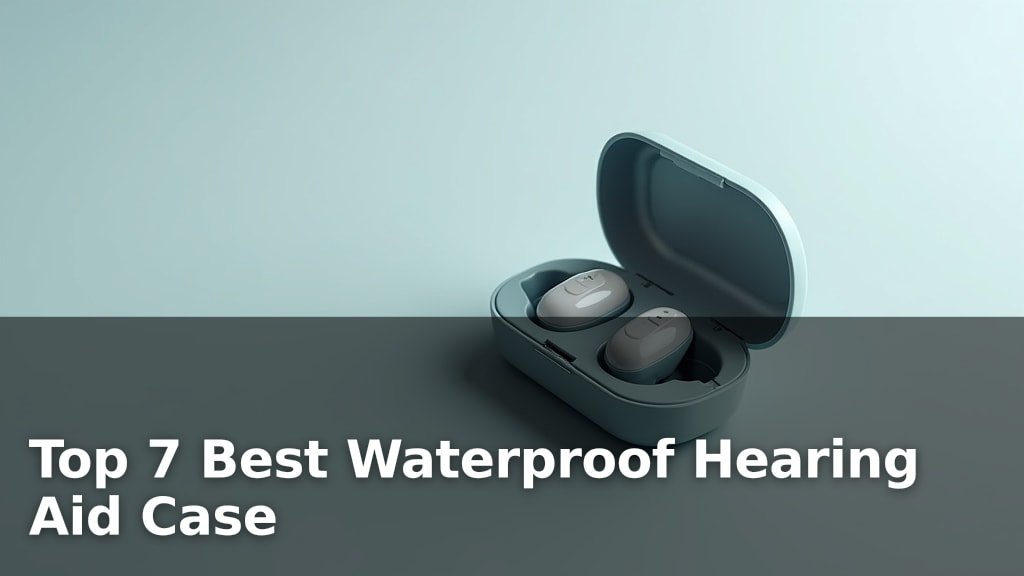
Make sure your hearing aid is seated correctly within the charging case. Many chargers have small indicator lights that show when a hearing aid is charging. If these lights aren’t on, the aid might not be making proper contact. Gently reseat the hearing aid, ensuring it clicks or settles into place as it should. Some users find it helpful to try placing the aid in the charger from a slightly different angle.
The Importance of Clean Charging Contacts
Dirt, earwax, and debris are the silent saboteurs of rechargeable hearing aids. These tiny particles can build up over time. They create a barrier that prevents the electrical connection needed for charging.
What to Look For on Your Hearing Aid
Carefully inspect the charging contacts on your hearing aid. You’ll usually find small metal dots or pins on the back or bottom of the device. Look closely for any visible gunk or residue. Even a thin film can be enough to stop a charge. Remember, these are small and delicate, so treat them gently.
Cleaning the Hearing Aid Contacts
To clean your hearing aid’s contacts, use a dry, lint-free cloth. A soft-bristled brush, like a clean toothbrush or a specialized hearing aid brush, can also be effective for dislodging stubborn debris. For tougher buildup, a cotton swab lightly dampened with isopropyl alcohol can work wonders. Ensure the contacts are completely dry before attempting to charge again. Never use water or harsh chemicals, as they can damage the sensitive electronics (CDC).
What to Look For on Your Charger
The charging contacts inside the charger port also need attention. These are the corresponding metal points that connect with your hearing aid. You might see a similar accumulation of earwax or dust inside the charging slots. Take a good look, perhaps with a flashlight, to identify any blockages or grime.
Cleaning the Charger Contacts
Use a dry cotton swab or a soft, dry cloth to gently wipe the charging contacts inside the charger. Again, a small, dry brush can help sweep away loose debris. If you used a slightly damp cotton swab on the hearing aid, you can use a similar method here, ensuring it’s only very slightly damp. Always let the charger dry thoroughly before placing your hearing aids back inside. A clean charger is essential for a good connection.
Compatibility and Charger Issues
Not all chargers are created equal, and sometimes the charger itself might be the problem.
Are You Using the Right Charger?
Ensure your charger is designed for your specific hearing aid model. While many hearing aid chargers look similar, they often have different voltage or connection requirements. Using an incompatible charger can prevent charging or even damage your hearing aids. Double-check your hearing aid manual or the manufacturer’s website to confirm you’re using the correct charger and charging cable.
When to Consider a Faulty Charger
If you’ve cleaned the contacts, verified the power source, and tried different outlets, your charger itself might have failed. Chargers are electronic devices that can wear out over time. If you suspect your charger is faulty, especially if it’s older or has been dropped, it’s time to consider getting a replacement charger. Your audiologist or hearing aid provider can help you order the correct one.
Environmental Factors Affecting Charging
Believe it or not, where you charge your hearing aids can make a difference.
Temperature and Humidity
Charging electronic devices in extreme temperatures can sometimes impact performance. While most hearing aid chargers are built to withstand typical household conditions, charging in a very hot garage or a cold basement might not be ideal. Similarly, excessive humidity can potentially affect the internal components over time. Charging in a stable, indoor environment is generally best.
A Quick Checklist for Success
Let’s summarize the most common solutions to get your hearing aids charging again. Keep this handy the next time you run into trouble!
- Check Power: Make sure the outlet and charger plug are secure and working.
- Clean Contacts: Gently clean the charging dots on both your hearing aids and the charger.
- Reseat Aid: Ensure the hearing aid is properly placed in the charger.
- Inspect Cable: Look for any damage to the charging cable.
- Test Outlet: Try a different electrical outlet to rule out a bad connection.
- Confirm Charger: Verify you are using the correct charger for your hearing aid model.
Conclusion
We know how vital your rechargeable hearing aids are for your daily life. If you’re facing charging issues, remember that most problems are straightforward. Often, a quick check of the charging contacts for dirt or ensuring a secure connection solves it. You’ve learned how to verify power sources, clean essential components on both the aid and the charger, and confirm compatibility. If these steps don’t resolve the charging problem, it might be time to consult your audiologist. They can help you explore next steps, like a potential charger replacement or further diagnostics for your hearing aids.
Frequently Asked Questions
How often should I clean my hearing aid charging contacts?
It’s a good practice to clean your hearing aid’s charging contacts at least once a week. If you notice any build-up sooner or if you experience charging issues, clean them immediately. Regular cleaning prevents earwax and debris from interfering with the connection.
Can I use water to clean the charging contacts on my hearing aids?
No, you should never use water to clean the charging contacts on your hearing aids. Water can damage the delicate electronic components. Stick to a dry, lint-free cloth or a cotton swab lightly dampened with isopropyl alcohol, ensuring everything is completely dry before charging.
My hearing aid is in the charger, but the indicator light isn’t on. What should I do?
First, ensure the hearing aid is seated correctly and snugly in the charging port. Sometimes, a slight adjustment can make all the difference. Then, check that the charger itself is receiving power by testing the outlet with another device. If these don’t work, clean the contacts on both the aid and the charger.
What if I lost my original charger? Can I use one from a different brand?
It’s generally not recommended to use a charger from a different brand or model. Hearing aid chargers are designed with specific voltage and connection requirements for their paired devices. Using an incompatible charger could prevent charging or even damage your hearing aids.
My hearing aids are old. Could the battery just be worn out and unable to hold a charge?
Yes, the rechargeable batteries in hearing aids do have a lifespan and can eventually degrade. If your hearing aids are several years old and you’ve tried all troubleshooting steps, the internal battery may be failing. In this case, you’ll likely need to speak with your audiologist about battery replacement options or upgrading your devices.