How to Set Up a Captioned Telephone?
On this page (10 sections)
- Getting Your Captioned Phone: The Basics
- Who Qualifies for a Captioned Phone?
- How the National Relay Service Works
- Choosing the Right Captioned Telephone
- The Application Process: Step-by-Step
- Setting Up Your New Captioned Phone
- Tips for Maximizing Your CapTel Experience
- Checklist: Ready to Get Your CapTel Phone?
- Conclusion
- Frequently Asked Questions
Setting up a captioned telephone, often called a CapTel phone, is surprisingly simple. You can get one through a government program called the National Relay Service. This program helps make phone calls accessible for people with hearing or speech disabilities. It’s a straightforward process to get your own captioned phone to make conversations easier.
These special phones display captions of what the other person is saying directly on the screen. Think of it like having closed captions for phone calls. Many people find this incredibly helpful for clear communication. It’s a wonderful tool for staying connected with loved ones and handling important calls without worry.
- You can get a captioned phone through the National Relay Service.
- This service is designed for individuals with hearing or speech difficulties.
- The phone displays real-time captions of conversations.
- It’s a great way to improve your phone communication.
Ready to make your phone calls clearer and less stressful? Let’s walk through exactly how to get your own captioned telephone set up, step by step.
Getting Your Captioned Phone: The Basics
So, you’re ready to make phone calls a lot easier. That’s fantastic! A captioned telephone, often called a CapTel phone, can be a real game-changer. It shows you what the other person is saying, right on the screen. This makes conversations much clearer, especially if you have trouble hearing. You don’t need to strain or ask people to repeat themselves constantly. It’s like having closed captions for your phone calls!
The good news is, getting one isn’t a huge hassle. In the United States, the government offers these phones through a program. It’s called the National Relay Service (NRS). This service exists to help people with hearing or speech disabilities communicate more easily over the phone. We’ll walk you through what you need to know to get your own.
Who Qualifies for a Captioned Phone?
You might be wondering if you’re eligible for a captioned phone. The primary requirement is that you have a hearing loss. This hearing loss must make it difficult for you to understand phone conversations. You don’t need to be profoundly deaf. Even if you have mild to moderate hearing loss, a CapTel phone can still be incredibly helpful. If you use hearing aids, you may also want to consider HAC phones.
The Main Requirement: Hearing Loss
The Federal Communications Commission (FCC) sets the guidelines for these services. To qualify, you simply need to self-certify that you have a hearing loss. This means you don’t need a doctor’s note or a formal diagnosis to apply. The system trusts you to accurately assess your own need. This makes the process much quicker and simpler for everyone involved.
Are There Other Requirements?
Beyond the hearing loss requirement, there aren’t many other hoops to jump through. You need to be a resident of the United States. You also need a standard telephone line. This could be a landline or a voice-over-internet-protocol (VoIP) phone service. Most people will have one of these already. There’s usually no cost for the phone itself if you qualify through the NRS program. This is a big plus!
How the National Relay Service Works
The NRS is the backbone of this program. It’s a nationwide service that connects people with hearing or speech disabilities to standard phone users. When you use a captioned phone, the NRS plays a key role. It acts as a go-between to provide those captions you see.
The Role of the Communication Assistant (CA)
When you make a call with your CapTel phone, you’ll hear the other person. Their words are also sent to a special captioning service. Here, a trained Communication Assistant (CA) listens to the conversation. They then type what’s being said in real-time. This typing is sent back to your phone, appearing as captions on the screen. It’s like having a personal stenographer for your call!
The CA is trained to be completely neutral and confidential. They don’t participate in the conversation. They just relay the words accurately. You can also speak normally into your phone. The CA will listen to you and then speak your words to the person you’re calling. This is called an “assistive listening device”. It helps bridge communication gaps.
Types of Relay Services
The NRS offers several ways to communicate:
- Captioned Telephones (CapTel): This is what we’re focusing on. It lets you hear and read the conversation.
- Telecommunications Relay Service (TRS): This is the standard relay service where a CA facilitates the call. You speak, the CA types for the other person. Or they listen and speak for you.
- Video Relay Service (VRS): For those who use sign language, VRS uses video equipment. A sign language interpreter relays the conversation.
Your captioned phone falls under the CapTel umbrella of the NRS. It combines the ability to hear with the benefit of reading.
Choosing the Right Captioned Telephone
There are different models of captioned phones available. They vary in features and design. Think about what would work best for your needs and your home.
Features to Consider
When looking at phones, consider these aspects:
- Screen Size: Do you need a larger display for easier reading?
- Font Size: Can you adjust the size of the captions?
- Sound Quality: How clear is the audio for listening?
- Amplification: Does the phone offer adjustable volume?
- User Interface: Is it easy to navigate the menus and features?
- Speed of Captions: How quickly do the captions appear?
Some phones are specifically designed for simplicity. Others might have more advanced features. Many providers offer a free captioned phone to eligible individuals. They often have a few models to choose from.
Internet vs. Traditional Phone Lines
Some newer captioned phones require an internet connection to function. They use your home Wi-Fi. These often provide the fastest and most accurate captions. Others work with traditional analog phone lines. They use a separate captioning service that connects through your phone line.
It’s important to know which type of phone you are getting. If you opt for an internet-based model, ensure you have reliable Wi-Fi. If you choose a traditional model, make sure your phone line is active and working correctly. Most providers will help you determine which type of phone is best for your situation.
The Application Process: Step-by-Step
Ready to apply? It’s quite straightforward. Most providers have a simple application form you can fill out online or over the phone. Here’s a general idea of what to expect.
Step 1: Find a Provider
You can’t just walk into a store and buy a CapTel phone through the government program. You need to go through an authorized provider. These companies are certified by the FCC to offer captioned telephones. You can usually find a list of authorized providers on government websites related to the NRS or by searching online.
We found that many providers have user-friendly websites. They guide you through the eligibility requirements and the application steps. Don’t hesitate to contact a few different providers to compare their offerings and customer service.
Step 2: Complete the Application
Once you’ve chosen a provider, you’ll need to fill out an application. This usually involves providing some basic personal information. You’ll confirm your identity and address. The most important part is the self-certification of your hearing loss. You’ll need to agree that you have a hearing disability that makes phone calls difficult.
You may also need to provide your telephone service provider’s information. This helps them ensure compatibility. Some applications might ask about your internet connection if you’re applying for a Wi-Fi enabled phone. The whole process is designed to be quick.
Step 3: Wait for Approval and Delivery
After submitting your application, the provider will review it. This usually doesn’t take too long. Once approved, they will process your order for the captioned telephone. The phone will then be shipped directly to your home. Delivery times can vary, but most providers aim to get the phone to you within a week or two.
You’ll likely receive tracking information so you can follow your phone’s journey. It’s exciting to know your new communication tool is on its way!
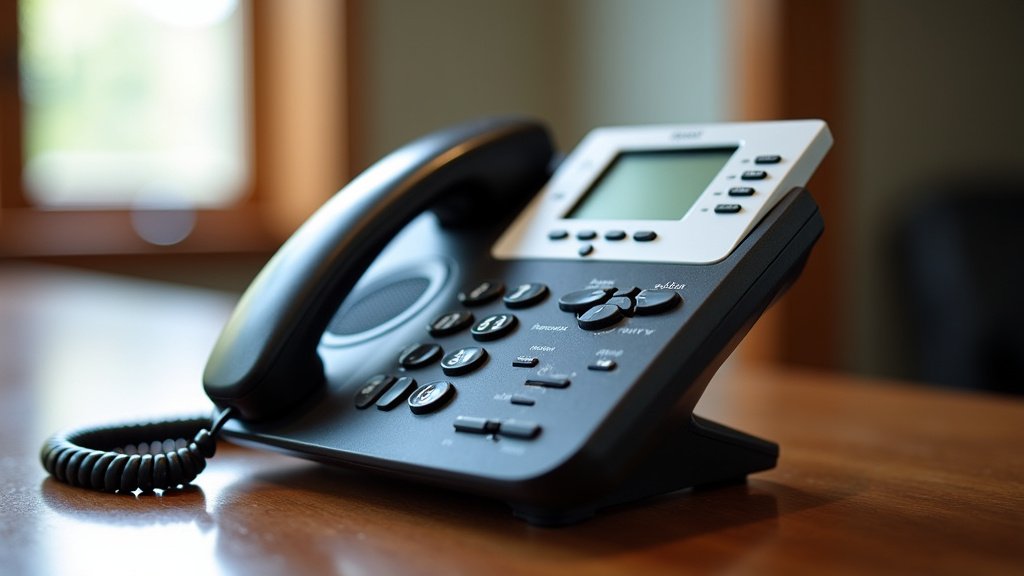
Setting Up Your New Captioned Phone
Once your phone arrives, you’ll be eager to set it up. Luckily, these phones are designed for easy installation. Most come with clear, step-by-step instructions.
Unpacking and Connecting the Hardware
First, carefully unpack your new phone. You’ll find the phone base, the handset, and power cords. You’ll also find a phone cord. If it’s a Wi-Fi model, there might be setup instructions for your internet connection. Follow the diagrams provided in the manual. It usually involves plugging the phone cord into your wall jack or modem.
You’ll also need to plug in the power adapter. For Wi-Fi models, you’ll typically connect it to your router during the initial setup process. Ensure all connections are secure. A loose cable can cause issues.
Initial Setup and Configuration
When you turn on the phone for the first time, it will guide you through the setup. This often includes connecting to your Wi-Fi network if it’s an internet-based model. You’ll likely need to enter your Wi-Fi password.
You might also be prompted to set up your caller ID information. Some phones allow you to adjust settings like volume, ringer tone, and caption display preferences. Take your time with this step. Customizing the phone to your liking will make it more enjoyable to use.
Testing Your Captioned Phone
The best way to confirm everything is working is to make a test call. Call a friend, family member, or even a customer service line. Speak clearly and listen to their responses. Watch the screen to see how the captions appear. Do they seem accurate and timely?
If you encounter any issues, don’t panic! Check your connections again. If it’s a Wi-Fi model, ensure your router is working. Most providers offer excellent customer support. They can help you troubleshoot any problems you might face. Their goal is to make sure your phone works perfectly for you.
Tips for Maximizing Your CapTel Experience
You’ve got your phone set up! Now, let’s talk about making the most of it. A few simple habits can really enhance your communication.
Speaking Clearly and at a Moderate Pace
While the phone is designed to assist you, speaking clearly still helps. Enunciate your words. Avoid speaking too quickly or too slowly. This gives the transcription service the best chance to capture your words accurately. Think of it as helping the CA help you.
Using the Phone in a Quiet Environment
Background noise can interfere with both your ability to hear and the accuracy of the captions. Try to use your CapTel phone in a quiet room. Turn off televisions or radios if possible. This creates a better environment for communication. A peaceful setting makes conversations flow much more smoothly.
Familiarizing Yourself with Features
Take some time to explore all the features your phone offers. Can you adjust the caption speed? Is there a way to save calls? Knowing these options can make your phone even more useful. Refer back to your user manual if needed. Many providers also have online tutorials or FAQs.
When to Contact Support
If you ever have trouble with your phone, don’t hesitate to reach out. This could be for technical issues or questions about using the service. The provider’s customer support team is there to help. They want you to have a positive experience.
Checklist: Ready to Get Your CapTel Phone?
Here’s a quick rundown to make sure you’re on track:
- Understand you need a hearing loss to qualify.
- Know that the NRS program provides the phones.
- Find an authorized CapTel phone provider.
- Complete the application form accurately.
- Confirm your phone and internet service are ready.
- Be prepared for delivery and setup!
Conclusion
Setting up your captioned telephone is a significant step towards clearer, more accessible phone communication. You’ve learned that the National Relay Service (NRS) makes this possible for those with hearing loss. The process involves finding a provider, completing a simple application, and then setting up your new device. Remember, you don’t need a doctor’s note—just self-certification of your hearing difficulty. Taking the time to understand the features and set up your phone correctly will ensure you get the most out of this helpful technology. Your next step is to find an authorized provider and start your application today!
Frequently Asked Questions
How do I know if I qualify for a captioned phone?
You generally qualify if you have a hearing loss that makes understanding phone conversations difficult. The requirement is to self-certify this hearing loss, meaning you don’t typically need formal medical documentation. It’s designed to be a straightforward process for anyone who genuinely needs it.
What’s the difference between a captioned phone and a regular phone?
A captioned phone displays real-time text captions of what the other person is saying on its screen, much like closed captions on TV. A regular phone does not offer this visual aid. This feature is what makes captioned phones incredibly useful for individuals with hearing impairments.
Is there a cost for a captioned telephone?
Through the National Relay Service (NRS) program, eligible individuals can often receive a captioned telephone at no cost. You may need to confirm your eligibility and meet certain program requirements. It’s a government-funded initiative to improve accessibility.
Can I use a captioned phone with my existing phone service?
Yes, you can typically use a captioned phone with your existing standard telephone line. This could be a traditional landline or a voice-over-internet-protocol (VoIP) service. Some newer models may require a reliable internet connection for optimal performance.
What if I have trouble setting up my new captioned phone?
Don’t worry if you run into setup issues! Your captioned phone will come with an instruction manual. Most providers also offer dedicated customer support. They can guide you through troubleshooting steps over the phone or online to ensure your phone is working correctly.